A Turn — Cards and Boats
Baghdad's turn in six steps, how Character cards slide across your board and resolve, and how Boats sail the river to the ports.
The turn in six steps
Play goes clockwise from the start player. On your turn, in this order:
- Slide Character Cards
- Play a Character Card
- Move Boats
- Move Vizier, then take the action and resolve your Buildings there, in either order
- Pay Tuition and Gain Shame
- Draw a Character Card and Refill the City
Bonus actions can be taken at any point of your turn, even in the middle of a step.
Character cards
| Card | Kind | When it leaves your board |
|---|---|---|
 | Starting (3 per player, letter a–d on the back) | Gain its reward |
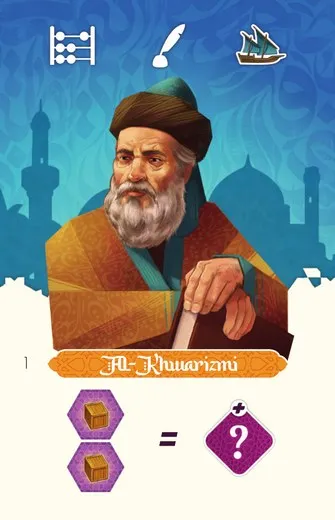 | Day (20) | If you meet its goal, gain its reward |
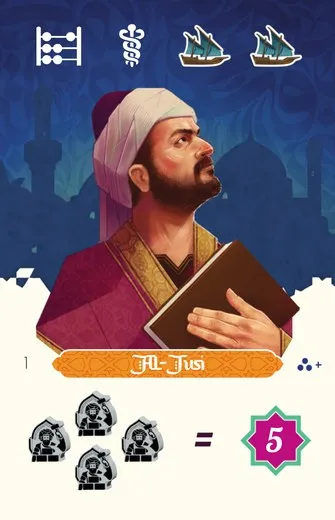 | Night (20) | If you meet its goal, keep it face down for its points at the end; otherwise return it to the box |
Every card’s effects are listed on Cards & Components.
Skill icons
Along the top of each card are skill icons:  Rod (Health),
 Abacus (Teach),
 Quill (Write),
 Anvil (Build) and
 Bricks (Plan). They count
in step 4 for the City tile, Building
and Palace actions. Once you have played three cards, three are
always face up on your board, and all their icons add together.
Boat icons
 Boat icons on the cards count in step 3.
Slide Character Cards
Skip this step on your first turn. Move each card on your board one slot to the right. A card pushed off the third slot resolves.
Resolving effects
- Starting Character: gain its reward, then put it face down on your personal discard pile.
- Day Character: check its goal. If you meet it, gain the reward, then discard it face down. If not, you gain nothing.
- Night Character: check its goal. If you meet it, discard it face down: it scores at the end. If not, return it to the box.
The leaving card’s icons still count while its effect resolves: a card that rewards an action gives one icon towards it. They stop counting once it is face down. The card you are about to play does not count yet.
Play a Character Card
Play one card from your hand face up into the leftmost slot of your player board.
Move Boats
Skip this step if the card you just played has no . Otherwise count the Boat icons on all
the cards on your board, and move your Boats that many spaces in total.
- Split the moves between your Boats as you like, and move one Boat several times, but finish moving one Boat before you start another.
- You do not have to use every move.
- A Boat that stops on a space with a Goods icon gains that Goods token. It gains at most one per step, however far it moves.
- Boats may share river spaces.
Boat movement restrictions
A Boat on the starting space may go left or right. Once it has set off in one direction it must keep going that way until it reaches a port. A Boat in port never moves again.
Goods and ports
A Boat that arrives in port goes on the empty slot furthest from the river. If the slot shows an icon, gain it. Then you may take one port action.
If all four slots of the port are taken, the Boat takes its port action and goes straight back to the starting space of the river. It may keep moving.
Port actions
When one of your Boats arrives in a port, however it got there, choose one:
| Port action | Effect |
|---|---|
| Sell | Spend any number of Goods tokens of different types: gain that many  + 1 |
| Buy one | Spend 2 : gain any Goods token |
| Buy two | Spend 5 : gain any two Goods tokens |
| [Contracts] Fulfil a Contract | Instead of a port action, spend the two Goods on the Contract beside that port (Contracts) |
Selling is the main way to make money, and money is tight. Every Boat in port also scores at the end with the Scoring tiles beside that port. You can buy a new Boat at any time as a bonus action, as long as none of your Boats is on the starting space.