Promo Tiles
Wendake's published promo tiles: the 2017 4-point Action tile and Level 3 Progress tile, and the four 2018 Action tiles — plus a note on the Kickstarter extras.
Short tag: [Promo]
Promo Tiles 2017
Two tiles given to Kickstarter backers and sold at the 2017 fairs (BGG: Wendake Promo Tiles; availability details in the FAQ). Shuffle each into its pile before setup.
| Tile | Effect |
|---|---|
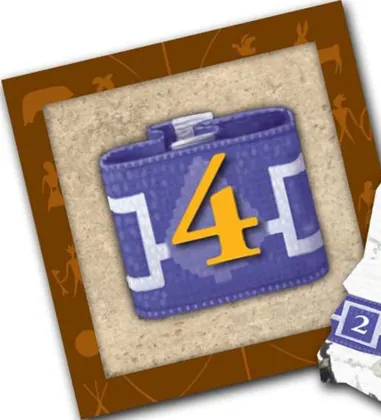 | Level 1 Advanced Action tile. Its Action side does nothing when you use it — it flips to its Ritual side as usual. At the end of the game it adds 4 points to your total (not to a track; FAQ). |
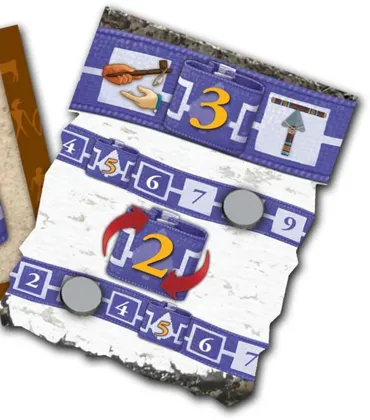 | Level 3 Progress tile. Once per year, during your turn, move up to 2 points between any two of your Score Tracks. |
Promo Tiles 2018
Four Action tiles by P.S. Martensen and Danilo Sabia (BGG: Wendake Promo Tiles 2018). Two work with the base game; the two that use Rifles, Turn cards or the Alliance action need New Allies (New Allies).
| Picture | Tile, level and effect |
|---|---|
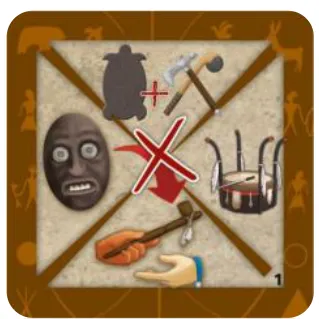 | Level 1: Take one of the four actions that score points — Trade, Military, Mask Ceremony or Ritual. This tile never flips to its Ritual side. Needs: base game. |
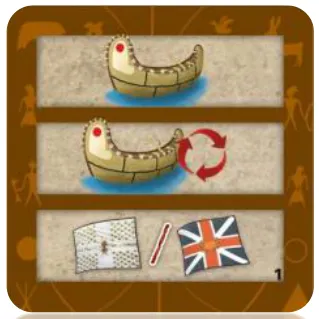 | Level 1: Take a Canoe action, then rearrange your Canoes on the Lakes as you like, then take an Alliance action. Needs: New Allies. |
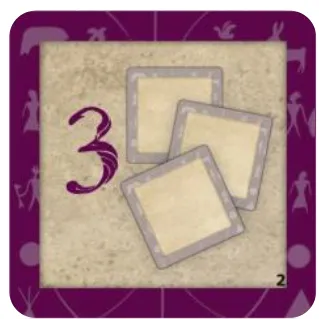 | Level 2: Use three starting Action tiles you set aside earlier in the game, in any order. Needs: base game. |
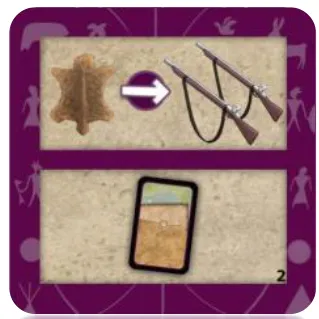 | Level 2: Trade 1 Leather for 2 Rifles, then take a Turn card from the discard pile; if it shows an Alliance action you may take it at once. Needs: New Allies. |
Besides the Alliance action, the Level 1 Canoe tile is the only way to move Canoes that are already on a Lake.
Kickstarter extras
Kickstarter copies also had four Advanced Fire Action tiles and four Level 4 Progress tiles, with rules on a separate sheet; the FAQ explains their layout and use (FAQ, FAQ). They are no longer available and their rules are not covered here; the publisher’s answers on how to lay them out are in the FAQ.