Cards, Missions and Techs
Playing project cards, conditional and triggerable missions, end-of-game scoring cards, researching technologies and all 12 tech tiles.
Play a card
 As your main action, pay the card’s cost (top left, in
 ) and
resolve its white effect. Any action inside the effect — a launch, a scan, an orbit — is
performed without paying that action’s normal cost. Then discard the card face up beside the
deck, unless it is a mission or an end-of-game scoring card, which you keep in front of you.
Missions
Mission cards carry a grey band with a condition or a row of circles. After you play one, it stays in front of you; completed missions are turned face down and kept for the rest of the game.
Conditional missions
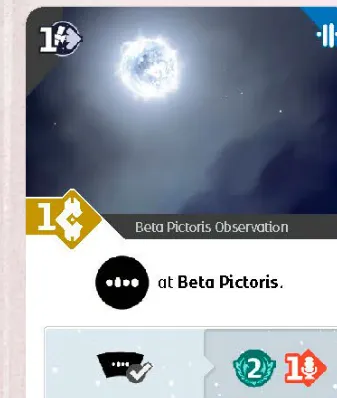
The card states a condition and a reward. Whenever the condition is true on your turn you may complete it as a free action — take the reward and turn the card face down. If the condition is already true when you play it, you may complete it at once; you never have to complete it the moment it becomes true.
Triggerable missions
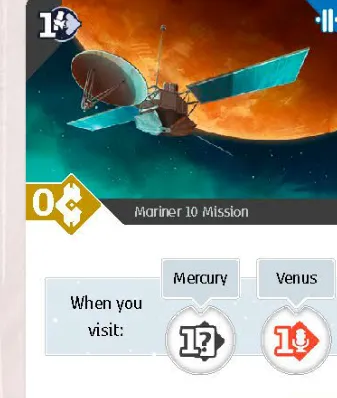
Each circle is triggered by something you do after playing the card. When it triggers you may cover the circle with a marker and gain its reward. One trigger covers one circle, even if it matches several circles or cards — trigger again for the next. When every circle is covered the mission is complete. Some missions can trigger on another player’s turn.
End-of-game scoring cards

Cards with a gold box  score points at the end of the game. Resolve the white
effect when you play it, then keep the card in front of you.
Research a tech
 Pay 6
 (you need at least 6 on the track), then:
 Rotate the solar system first (Rotation).
- Choose a tech you don’t have yet and take the top tile of its stack.
- If you are first to take from that stack, discard its 2-point tile and score 2 points.
- Gain the bonus printed on the tile, flip it and put it on your board: probe and telescope techs in their own slots, computer techs in any empty computer tech slot (even one holding data — slide it under; that is not placing data, so no 2 points).
Techs from cards
Cards with 
 or
 give a
tech of that type without paying publicity — still rotating first (the rotation icon on the card is
only a reminder: rotate once). If you already have all four techs of that type, you still rotate.

Probe techs
| Tile | Effect |
|---|---|
 | Up to 2 probes in space. Its bonus launches a probe for free, already using the new limit. |
 | Moving onto asteroids gives 1 ; leaving asteroids no longer costs an extra move. |
 | Landing costs 1 energy less: 2, or 1 with an orbiter at the planet. |
 | You may land on a planet’s moons, for the planet’s landing cost. |
Telescope techs
Used only during a scan.
| Tile | Effect |
|---|---|
 | Mark the signal in a sector next to Earth’s instead of Earth’s. Bonus: 2 data. |
 | Pay 1 to mark an extra signal in the sector with Mercury. |
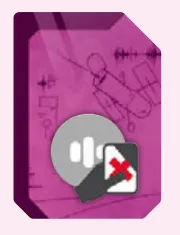 | Discard a card from your hand to mark an extra signal in a sector of its colour. |
 | Pay 1  to launch a probe (no credits) or gain 1  . FAQ. |
Computer techs
They may go in any empty slot, not necessarily left to right; a space holding data is still empty, but a space with another tech is not (slot order, occupied slot).
| Tile | Effect |
|---|---|
 | Upper space: 2 points. Lower space: 1 credit. FAQ. |
 | Upper space: 2 points. Lower space: 1 energy. FAQ. |
 | Upper space: 2 points. Lower space: 1 card. FAQ. |
 | Upper space: 2 points. Lower space: the publicity shown. FAQ. |
Upper spaces are part of the top row: they must be full to analyze. Analyzing clears every space, upper and lower.
[Agencies] Fenwick Research Center researches for 5 publicity; Turing Systems borrows a tech for a turn; Helion Assembly can switch a tech off for income (Organizations).