Cards & Components
Every tile, token and board of Wireless the rulebook pictures, face by face, with what it does.
All pictures are from Spielefaible’s rulebook (rules version 1.1). Faces the rulebook does not show are listed at the end of each section.
Boards
Game board
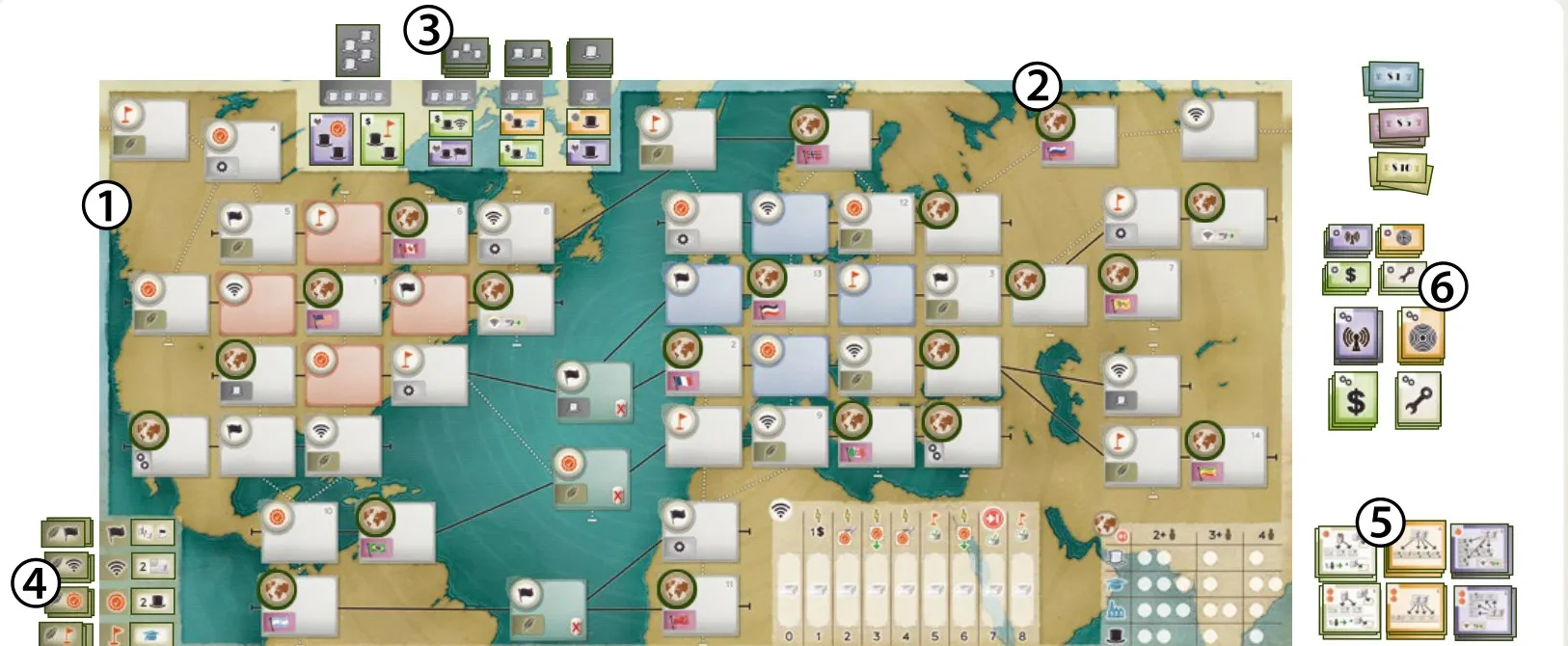
The world map of 52 Locations, with the Tycoon display (top), the Contract display (bottom left), the Permanent Links track and the Credit area (bottom). See The game board.
Player boards
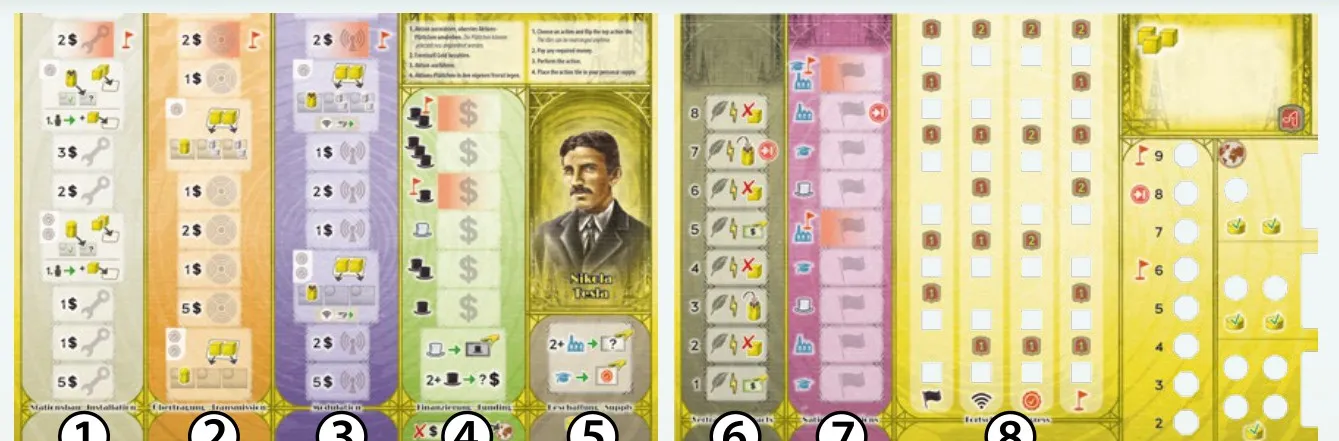
Each player has two: the left holds the four action columns and the Supply summary, the right the Contracts, Nations and Progress columns, the Wireless Stations and the Credit tokens. See The player boards.
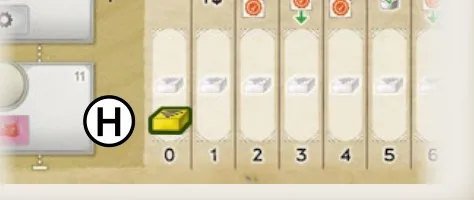
The Permanent Links track (bottom edge of the game board): see its bonuses.
Cards
Wireless has no cards: everything is a tile, token or board (see the sections below).
Tiles
Action tiles
| Face | What it does |
|---|---|
 | Installation. Fills a space of the Installation column. |
 | Transmission. Fills a space of the Transmission column. |
 | Modulation. Fills a space of the Modulation column. |
 | Funding. Fills a space of the Funding column. |
 | Back (player colour). Each player has 3 of each action. |
Technology tiles
| Face | What it does |
|---|---|
 | Installation Technology. Works as an Installation Action tile (Technology tiles). |
 | Transmission Technology. Works as a Transmission Action tile. |
 | Modulation Technology. Works as a Modulation Action tile. |
 | Funding Technology. Works as a Funding Action tile. |
 | Back. 6 of each type. |
 | Installation Super Technology. Covers 2 spaces of the Installation column. |
 | Transmission Super Technology. Covers 2 spaces of the Transmission column. |
 | Modulation Super Technology. Covers 2 spaces of the Modulation column. |
 | Funding Super Technology. Covers 2 spaces of the Funding column. |
 | Back. 2 of each type. |
 | Technology Starting tile — Transmission. Part of a starting group. |
 | Technology Starting tile — Modulation. |
 | Back of the 4 Technology Starting tiles. |
Not pictured: the other 2 Technology Starting tiles.
Tycoon tiles
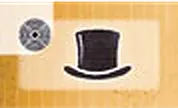
Every Tycoon tile has a  Tycoon hat. The small icon at top left is the column it goes in. Tiles stay in their column for good (Funding).
| Face | What it does |
|---|---|
 | Installation column. One Tycoon. |
 | Transmission column. One Tycoon. |
 | Funding column. One Tycoon and one active  Factory. |
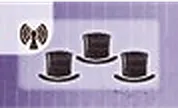 | Modulation column. Two more active Tycoons. |
 | Installation column. One Tycoon and one  Patent icon for scoring. |
 | Transmission column. One Tycoon and one  Target icon for scoring. |
 | Funding column. One Tycoon and one  Permanent Link icon for scoring. |
 | Transmission column, tall tile. Two Tycoons and one Permanent Link icon. Check against the physical component. |
 | Modulation column, tall tile. Two Tycoons and one Patent icon. Check against the physical component. |
 | Funding column, tall tile. Two Tycoons and one Target icon. Check against the physical component. |
 | Tycoon Starting tile — Funding. One Tycoon and one Target icon. |
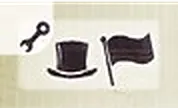 | Tycoon Starting tile — Installation. One Tycoon and one  Flag icon. |
 | Tycoon Starting tile — Transmission. One Tycoon and one Permanent Link icon. |
 | Tycoon Starting tile — Modulation. One Tycoon and one Patent icon. |
 | Back, level 1 (one hat). 12 tiles. |
 | Back, level 2 (two hats). 8 tiles. |
 | Back, level 3 (three hats). 4 tiles. |
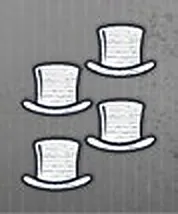 | Back, level 4 (four hats). 4 tiles. |
 | Back of the 4 Tycoon Starting tiles. |
The rulebook shows 10 of the 28 Tycoon fronts and not their levels; the others are not pictured. Level 2–4 tiles add a Scientist, a Factory, two more Tycoons or scoring icons (Funding).
Patent tiles
Double-sided: choose side A or B the first time you use it (Patents). Two icons at top left: Basic Action Box; one: Advanced Action Box. Patterns can be turned or mirrored.
| Face | What it does |
|---|---|
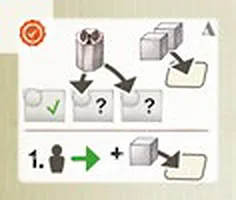 | Installation, A, one icon. Build a Modulated station one Location further (skipping one); the extra Signal token for being first still applies. Check against the physical component. |
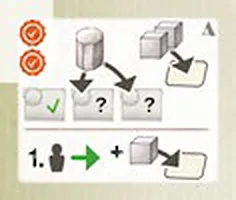 | Installation, A, two icons. Build an Unmodulated station one Location further (skipping one). Check against the physical component. |
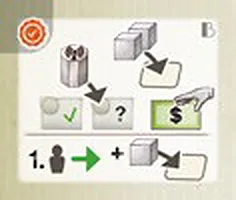 | Installation, B, one icon. As side A, Modulated, and also take a Funding Action tile from your supply into its column. Check against the physical component. |
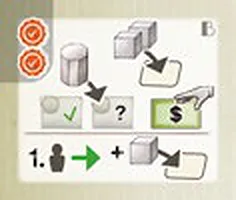 | Installation, B, two icons. As side A, Unmodulated, and also take a Funding Action tile. Check against the physical component. |
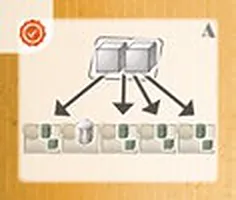 | Transmission, A, one icon. Place the 2 Signal tokens on any 2 of the pictured spaces; occupied spaces allowed. Check against the physical component. |
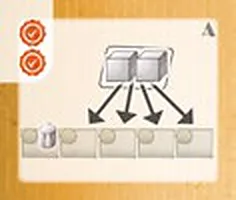 | Transmission, A, two icons. Place the 2 Signal tokens on any 2 of the pictured empty spaces. Check against the physical component. |
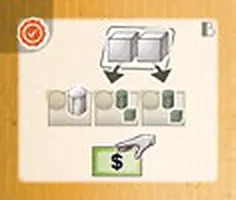 | Transmission, B, one icon. Signal tokens on the pictured spaces (each must be empty only where a token goes), and take a Funding Action tile. Check against the physical component. |
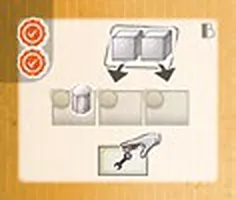 | Transmission, B, two icons. Signal tokens on the pictured empty spaces, and take an Installation Action tile. Check against the physical component. |
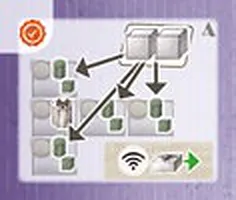 | Modulation, A, one icon. Place the 2 Signal tokens on any 2 of the pictured spaces; occupied spaces allowed; advance on Permanent Links. Check against the physical component. |
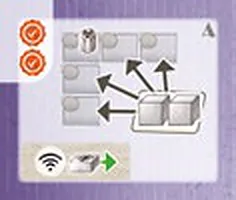 | Modulation, A, two icons. Signal tokens on the pictured empty spaces; advance on Permanent Links. Check against the physical component. |
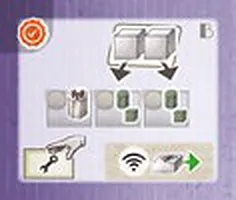 | Modulation, B, one icon. Signal tokens on the pictured spaces, take an Installation Action tile; advance on Permanent Links. Check against the physical component. |
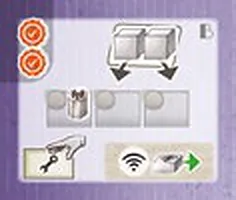 | Modulation, B, two icons. Signal tokens on the pictured empty spaces, take an Installation Action tile; advance on Permanent Links. Check against the physical component. |
The rulebook pictures one Patent of each of the 6 stacks, both sides; each stack has 4 tiles.
Contract tiles
The back (and the top-left icon of the front) shows the reward that matches a Location (Contracts). The front is the condition; the number beside its space on your board is how many times you must meet it.
| Face | What it does |
|---|---|
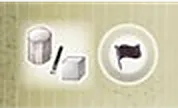 | Condition: a piece of yours (station or Signal) on a Flag-reward Location. |
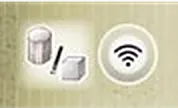 | Condition: a piece on a Permanent Link-reward Location. |
 | Condition: a piece on a Patent-reward Location. |
 | Condition: a piece on a Target-reward Location. |
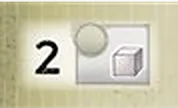 | Condition: 2 Signal tokens on Locations. |
 | Condition: 1 Modulated Wireless Station on a Location. |
 | Condition: 1 active  Scientist. |
 | Condition: 1 active Factory. |
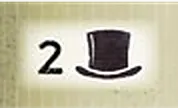 | Condition: 2 active Tycoons. |
 | Condition: 1  Technology icon (a Super Technology tile counts 2). |
 | Back — Flag. When completed, a Flag icon for scoring. |
 | Back — Permanent Link. When completed, a Permanent Link icon. |
 | Back — Patent. When completed, a Patent icon. |
 | Back — Target. When completed, a Target icon. |
The rulebook shows each condition and each back but not which conditions come in which of the 4 stacks of 10.
Location tiles
| Face | What it does |
|---|---|
 | Flag reward. Placed on an empty Location corner at setup (Location bonuses). |
 | Patent reward. |
 | Permanent Link reward. |
 | Target reward. |
 | Back. 5 of each type. |
 | Location Starting tile, American side. The reward icon names one of the 4 starting Locations around the US flag. |
 | Location Starting tile, European side. The same around the German flag. |
Flag tiles
Each player has the 12 Flags of the period; you place one in your Nations column when you reach that country (Location bonuses).
| Face | What it does |
|---|---|
 | Argentina. |
 | Brazil. |
 | Canada (Red Ensign). |
 | China (Qing dragon flag). |
 | France. |
 | Germany (German Empire). |
 | India (1906 flag). |
 | Italy (Kingdom of Italy). |
 | Norway. |
 | Russia. |
 | South Africa (Red Ensign). |
 | United States. |
Personal Objective tiles
Complete a tile by having all its Flags in your Nations column; it scores its value × the Credit tokens to its left (Personal Objectives).
| Face | What it does |
|---|---|
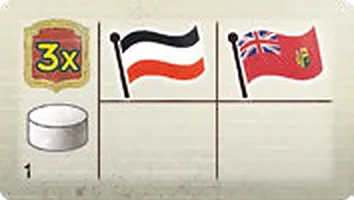 | 1 — 3×: Germany, South Africa. |
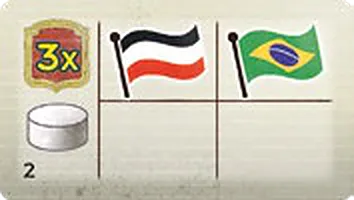 | 2 — 3×: Germany, Brazil. |
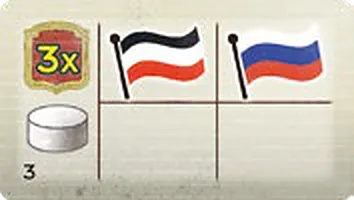 | 3 — 3×: Germany, Russia. |
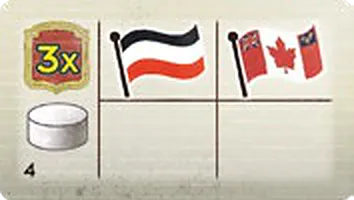 | 4 — 3×: Germany, Canada. |
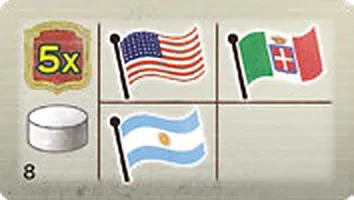 | 8 — 5×: United States, Italy, Argentina. |
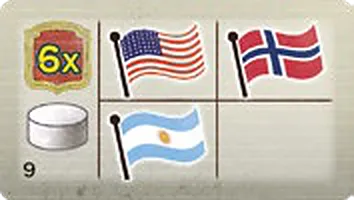 | 9 — 6×: United States, Norway, Argentina. |
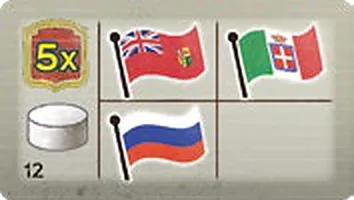 | 12 — 5×: South Africa, Italy, Russia. |
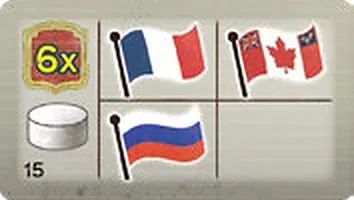 | 15 — 6×: France, Canada, Russia. |
 | Back A. 5 tiles. |
 | Back B. 5 tiles. |
 | Back C. 5 tiles. |
Not pictured: objectives 5, 6, 7, 10, 11, 13 and 14.
Solo Installation tiles
The Automa builds on these numbered Locations; the arrow is the direction its signal goes (Solo).
| Face | What it does |
|---|---|
 | Back — Modulated (purple). |
 | Back — Unmodulated (orange). |
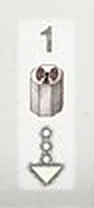 | 1 — Modulated station, white vertical arrow. |
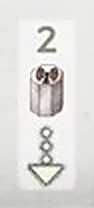 | 2 — Modulated station, white vertical arrow. |
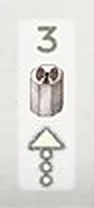 | 3 — Modulated station, white vertical arrow. |
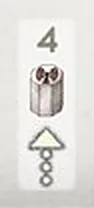 | 4 — Modulated station, white vertical arrow. |
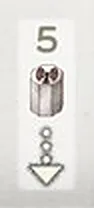 | 5 — Modulated station, white vertical arrow. |
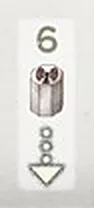 | 6 — Modulated station, white vertical arrow. |
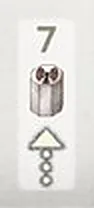 | 7 — Modulated station, white vertical arrow. |
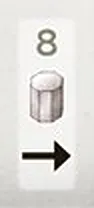 | 8 — Unmodulated station, black horizontal arrow. |
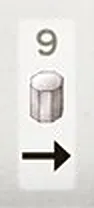 | 9 — Unmodulated station, black horizontal arrow. |
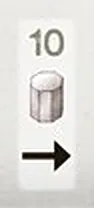 | 10 — Unmodulated station, black horizontal arrow. |
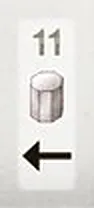 | 11 — Unmodulated station, black horizontal arrow. |
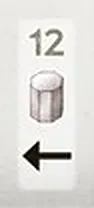 | 12 — Unmodulated station, black horizontal arrow. |
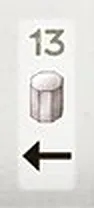 | 13 — Unmodulated station, black horizontal arrow. |
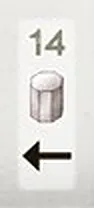 | 14 — Unmodulated station, black horizontal arrow. |
Tokens & pieces
| Face | What it does |
|---|---|
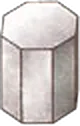 | Wireless Station, Unmodulated side  . 9 per player, double-sided. |
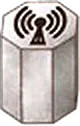 | Wireless Station, Modulated side  . |
 | Signal token  . 30 per player. |
 | Credit token  . 7 per player. |
 | Permanent Link marker. 1 per player. |
 | First Player marker. |
 | $1 banknote (20). |
 | $5 banknote (8). |
 | $10 banknote (2). |
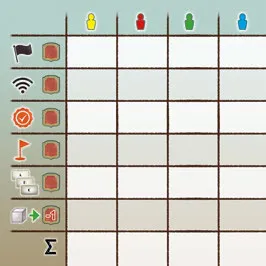 | Score pad. One row per scoring row. |
Icons
| Icon | Meaning |
|---|---|
| Flag — Nations; Flag reward and scoring |
| Permanent Link — Network Integration |
| Patent — Innovation |
| Target position — Network Expansion |
 | Dollar — pay or gain money |
| Unmodulated Wireless Station |
| Modulated Wireless Station |
| Signal token |
| Credit token |
 | Credit area of the game board |
| Tycoon |
| Factory — +1 Action tile with Supply |
| Scientist — needed for Patents |
 | Installation action |
 | Transmission action |
 | Modulation action |
 | Funding action |
| Technology |
 | Contract bonus |
 | Immediate bonus |
 | End Game Condition |
 | −1 VP for each Signal token left in the Ready area |