Cards & Components
Every Prêt-à-Porter component: the board and player boards, every Contract, Building and Employee with its base and improved ability, Design, Credit and Loan cards, Fashion Show tiles, tokens, Materials and pieces, and the icons.
Pictures come from Portal Games’ 3rd-edition rulebook (its component pages and examples); card abilities are summarised from Portal’s card almanac in our own words — the printed card wins where they differ. ”→” gives the trained or upgraded side (for Contracts: the weaker side after one Exhibition). The rulebook shows only a few card faces; pictures of the other faces are to be added.
Boards
| Picture | Description |
|---|---|
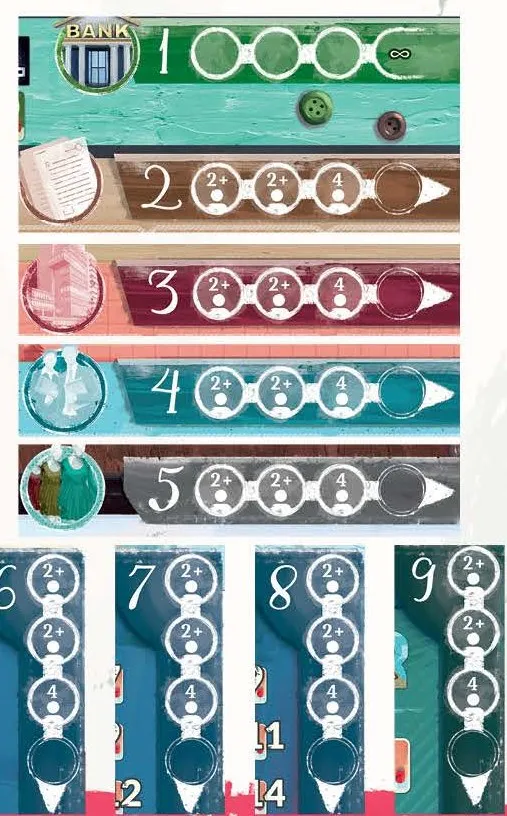 | Game board — the nine locations, the Calendar track with the Fashion Show spaces and the VP track (Working round, numbered tour). Abilities without a pawn resolve in turn order at their location before placed pawns resolve left to right; card rows refill only at a new Working round. FAQ FAQ FAQ |
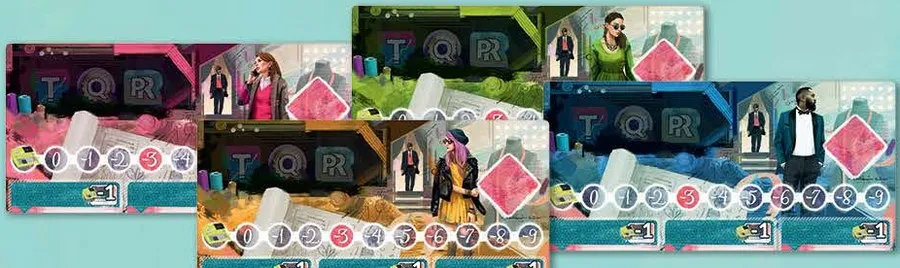 | Player boards (4) — Clothing Type space, token space, Upkeep track and three Starting Employees at −1 (Your company). Replacing a Starting Employee costs no severance; only a hired Employee triggers it. FAQ |
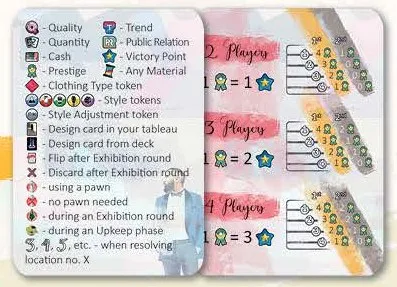 | Player Aid cards (4) — icon list on one side, Prestige per category and VP per Prestige for 2, 3 and 4 players on the other. |
Cards
You may own multiple copies of the same card. FAQ
Contract cards
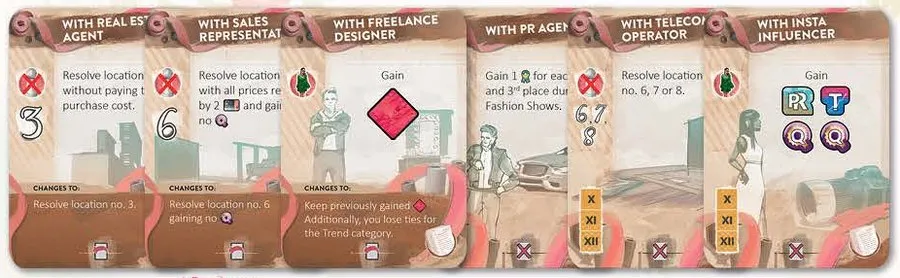
24 Contracts, free, placed left of your board; they weaken after one Exhibition and expire after the next (Contracts).
- For Beret Production — Upkeep: return up to 3 Materials for 7 each → for 5 each.
- For Ready-to-Wear Collection — Upkeep: sell one finished Collection for its Design prices (no tokens, no Prestige) → the same, 2 less. Only the printed Design prices pay out; Collection bonuses and Prestige do not. FAQ
- For TV Appearances — next Award phase: 4
 → 2.
- With Construction Company — Growth: upgrading 1 Building and training 1 Employee are free → one of them is free.
- With Design Company —
 at location 5: draw 2 Designs, keep 1 → draw 1. Draw from the deck, not the face-up row. FAQ
- With Design Office — Upkeep: sell 1 Design without Materials for 10 → for 7.
- With Employment Agency — after the pawns at location 4: take an Employee → the same, paying 2.
- With Freelance Designer — take a second Clothing Type token of your choice → keep it, but lose every tie in the Trend category. Return that extra token when the Contract leaves play. FAQ
- With Modeling Agency — next Award phase: 2
 → 1.
- With Quality Consultant — next Award phase: 3
 → 2.
- With Real Estate Agent — after the pawns at location 3: take a Building free → paying its cost.
- With Rental Office — all your Buildings cost 0 Upkeep → up to 3 of them. When the Contract expires, every Building’s printed Upkeep counts again. FAQ
- With Sales Representative — at location 6: buy any number of one colour at 2 less each (minimum 1), no Quality → at full price. The discount is per Material, but no Material costs less than 1; another Sales Representative gives a separate purchase, not a larger discount. FAQ FAQ
- With Trend Analyst — next Award phase: 2
 → 1.
- Last Quarter: With Audit Company — Upkeep: discard any Employees (gain 2 each, no severance) and Buildings (gain 4 each). This ability is usable in the final Upkeep too. FAQ
- Last Quarter: With Insta Influencer — final Award phase: 1 , 1 and 2 .
- Last Quarter: With Partner Agency — at location 5: discard any Designs and draw as many.
- Last Quarter: With PR Agency — final Award phase: 1 each time you come 2nd or 3rd in a category (ties included).
- Last Quarter: With Ready-to-Wear Store Chain — Upkeep: discard up to 3 Designs for 3 each.
- Last Quarter: With Telecom Operator — each Working round, resolve location 6, 7 or 8 without a pawn (Quality as usual).
Building cards
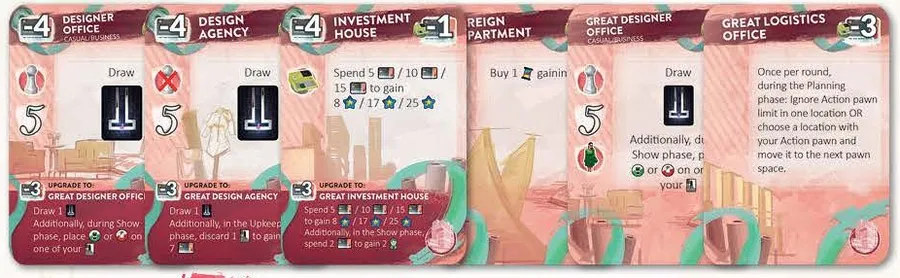
24 Buildings, bought at location 3; each adds Upkeep and a desk for an Employee (Buildings).
- Banquet Hall — each Award phase: 1 → 2, and you win PR ties.
- Design Agency — at location 5: draw 1 Design → the same, and each Upkeep discard 1 Design for 7. Draw from the deck, not the face-up row. FAQ
- Designer Office — at location 5: draw 1 Design per pawn you have there → the same, and at the Show phase put one of the card’s two Style tokens on a Design. Draw from the deck; after the show, keep the Style token on that Design. FAQ
- Designer School — each Award phase: 1 → 2, and you win Trend ties.
- Foreign Branch — per pawn at location 8: buy 1 extra Material of any colour at its price, no Quality → with 1 .
- Investment House — Upkeep: spend 5 / 10 / 15 Cash for 8 / 17 / 25 VP → the same, and at the Award phase spend 2 Cash for 1 (the printed card is the reference). The Cash-to-VP option may be used at every Upkeep, not just once per game. FAQ
- Logistics Office — end of Planning: swap one of your pawns with an adjacent pawn at its location → or ignore the pawn limit for one pawn. It changes resolution order after placement; it does not grant an extra action. FAQ
- Machine Facilities — each Award phase: 2 → 3, and you win Quality ties. If an opponent’s upgraded Spokesman also claims the tie, resolve it as a normal tie. FAQ
- Retail Outlet — Upkeep: 1 Cash per you hold, at most 6 → Major Retail Outlet: at most 10, plus 1.
- Small Workshop — Show phase: pay 3 for 1 , 1 , 2 or 5 Cash → the same without paying, plus 1 .
- Last Quarter: Fashion Show Organization Agency — final Award phase: 4 if you own the most Designs (no ties).
- Last Quarter: Newspaper Office — after the final Award phase: 3 per category you won outright.
- Last Quarter: Real Estate Agency — final scoring: 5 Cash per Building you own.
- Last Quarter: Sewing Factory — after the final Award phase: 18 Cash per category you won outright.
- Last Quarter: Storehouse — at location 6: buy any number of one colour, gaining 2 .
- Last Quarter: Warehouse — at location 7: buy up to 6 different Materials at 2 less each (minimum 1), no Quality.
Employee cards
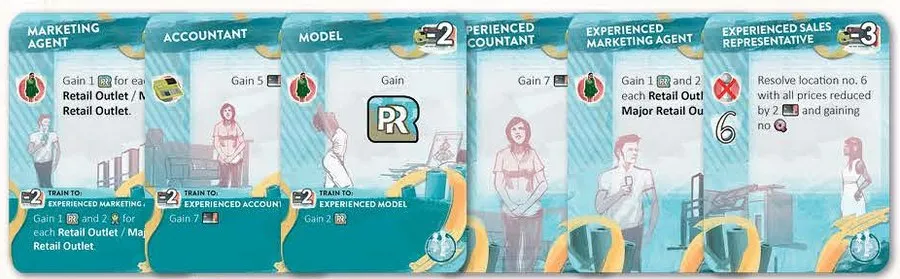
24 Employees, hired at location 4; each adds Upkeep (Employees).
- Accountant — Upkeep: gain 5 → 7. It pays in every Upkeep, including Exhibitions; take its income before paying your net Upkeep. FAQ FAQ
- Creative Designer — at location 5: draw 1 Design → draw 2, keep 1. Draw from the deck, not the face-up row. FAQ
- Credit Advisor — at location 1: take a 20 Credit without interest → a 40 Credit.
- Freelance Designer — Show phase: change 1 Design to any Style (
 ), losing 2 → without the loss.
- Journalist — Award phase: on one show, the next category below those judged is judged too (not in round III) → the same, and 3 if you won a category.
- Marketing Agent — Award phase: 1 per Retail Outlet → plus 2 per Retail Outlet.
- Model — Award phase: 1 → 2.
- Model Superstar — Show phase: change 1 Design to any Style (), losing 3 → without the loss.
- Modeling Agency Representative — Award phase: 2 → 4.
- Sales Representative — at location 6: buy one colour at full price, no Quality → at 2 less each. Each copy/action has its own discount; two Representatives let you buy twice, not stack a discount. FAQ FAQ
- Spokesman — Award phase: 1 each time you tie for 1st or 2nd → win one tie, plus 1 Prestige for each other tie. Employee Prestige arrives after the Prestige exchange, so it can boost a Design sale but does not exchange this round. FAQ If both Spokesman and Machine Facilities claim a Quality tie, use the normal tie rule. FAQ
- Talented Designer — Award phase: 1 → 2.
- Last Quarter: Makeup Artist — final Award phase: 1 per Model Employee you have. Count every Model type, including upgraded and Superstar versions. FAQ
- Last Quarter: Market Analyst — at location 5: draw 4 Designs, keep 1. Draw from the deck, not the face-up row. FAQ
- Last Quarter: New Designer — at location 5: draw 2 Designs. Draw from the deck, not the face-up row. FAQ
- Last Quarter: Trader — Upkeep: sell one finished Collection for its Design prices (no Prestige). This pays only Design prices; it does not grant Collection bonuses or Prestige. FAQ
- Last Quarter: Young Designer — Show phase: change 1 Design to any Style, losing 2 .
- Last Quarter: Young Talent — final Award phase: 1 per Designer Office you have.
Design cards
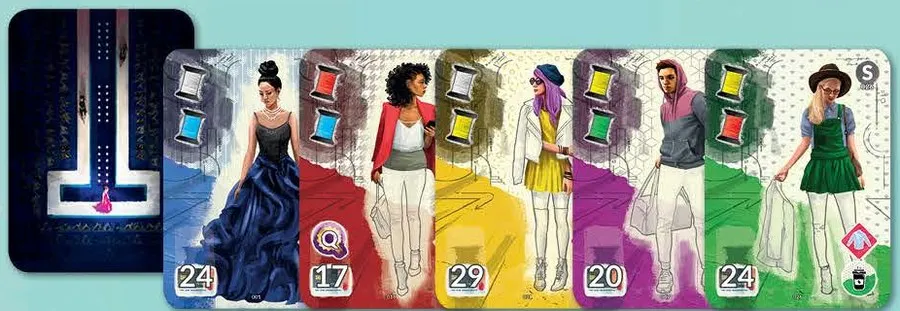
50 Designs, 10 per Style, among them the 10 starting Designs listed on the backs of the Clothing Type tokens.
Each shows its two Materials (top left), Clothing Type and Style (right), an optional bonus — ,
or “2 Cash” — and its sale price (Show phase). The “2 Cash” badge is an extra bonus, not the Design’s printed sale price. FAQ Individual faces: to be added.
Credit and Loan cards
| Picture | Description |
|---|---|
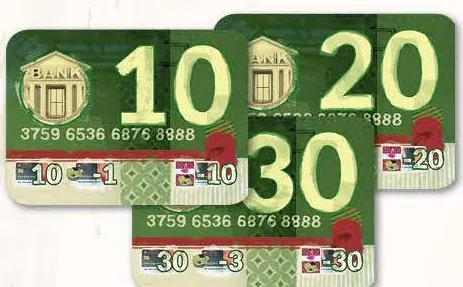 | Credit cards (10) — 10, 20 or 30 Cash; Upkeep +1/+2/+3; repay the same amount at the next Exhibition (Bank). |
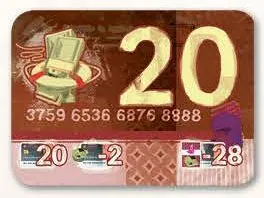 | Loan cards (3) — 20 Cash when you can’t pay Upkeep; Upkeep +2; repay 28 (Credits and loans). The added Upkeep applies immediately; at an Exhibition, pay it before repaying the Loan. FAQ FAQ |
Tiles
Fashion show tiles
10 tiles: 6 for rounds III, VI and IX, 4 Last Quarter tiles for round XII (Award phase). Categories from the top. Each show is scored separately, but you show the same Collection at every show in that Exhibition; you need a Collection and at least one token in a category to place. FAQ FAQ FAQ
| Picture | Description |
|---|---|
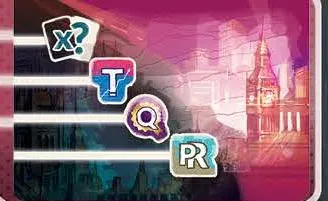 | Big Ben — Quantity, Trend, Quality, PR. |
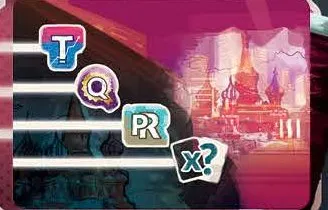 | Onion domes — Trend, Quality, PR, Quantity. |
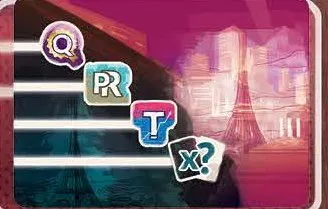 | Eiffel Tower — Quality, PR, Trend, Quantity. |
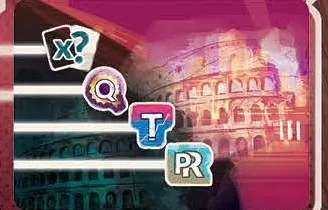 | Colosseum — Quantity, Quality, Trend, PR. |
 | Skyline — PR, Trend, Quantity, Quality. |
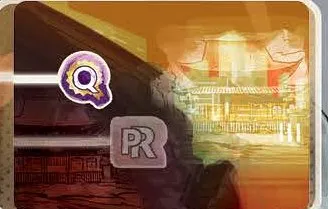 | Last Quarter, pagoda — Quality (PR greyed: only with a Journalist). |
 | Last Quarter — Quantity (Trend greyed). |
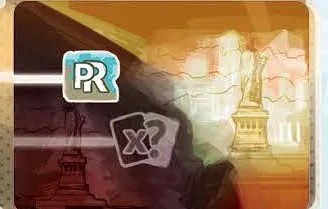 | Last Quarter, Statue of Liberty — PR (Quantity greyed). |
 | Last Quarter, Opera House — Trend (Quality greyed). |
The sixth regular tile is not pictured in the rulebook: to be added.
Tokens & pieces
| Picture | Description |
|---|---|
 | Quality tokens (30, some worth 3) — Quality category (Award categories). |
 | Trend tokens (19) — Trend category. |
 | PR tokens (15) — Public Relations category. |
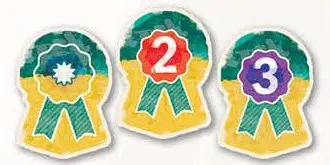 | Prestige tokens (37, worth 1, 2 or 3) — their number is their value, and they can be changed like Cash; won at shows, multiply the sale, then become VP (Prestige exchange). FAQ FAQ |
 | Style tokens (10) — change a Design to that Style (upgraded Designer Office). |
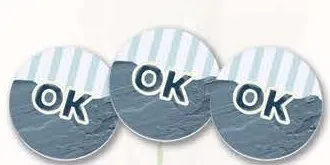 | Style Adjustment tokens (4, “OK”) — a Design counts as any Style. |
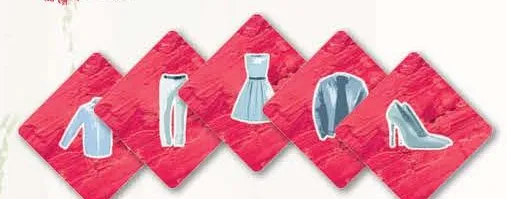 | Clothing Type tokens (5) — your speciality; the back names your 2 starting Designs (setup). A Collection including your own Clothing Type gains 1 Trend, as in the rulebook’s scoring example. FAQ |
 | Cash tokens — 1 (26), 5 (10), 10 (16), 20 (8), 50 (8), 100 (8). |
 | Material pieces (72, six colours) — finish Designs (Materials). |
 | Action pawns (12, 3 per colour) — you may take a pawn back without resolving its location. FAQ |
 | Upkeep markers (8) — −1 (+1 on the back) and −10 (Upkeep). |
 | VP markers (4). |
 | Calendar marker — the current round. |
 | First Player token — passes left at the start of each Working round, except round I and Exhibitions. FAQ |
 | Turn Order tile and tokens — Advanced Variant (turn order). |
Icons
| Picture | Description |
|---|---|
 | Quality, Trend, Public Relations, Quantity |
| Prestige |
| Style Adjustment |
| Ability without a pawn |
     | Evening, Business, Casual, Rock, Sport |
     | Jacket, Dress, Shoes, Pants, Shirt |