Cards & Components
The boards, workshop cards, supplies, tokens and every distinct card-face inventory row.
Boards
| Face | Use |
|---|---|
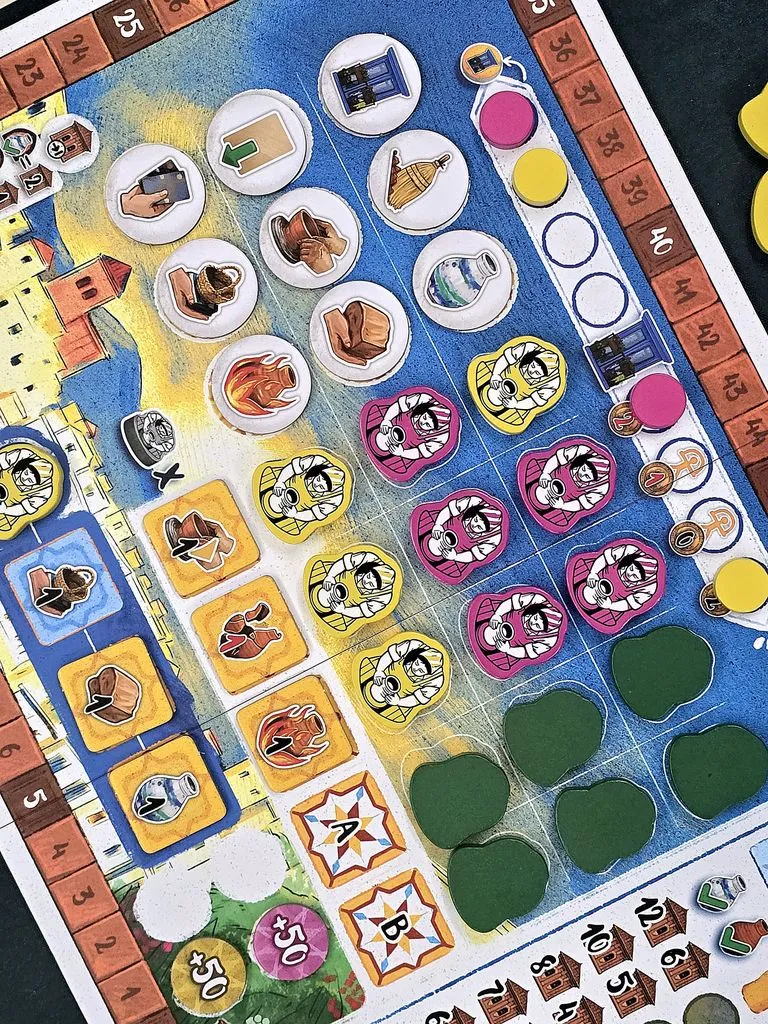
| Multiplayer Main Board | Action grid, market, score track, turn order and bonus spaces. First-game tile layout is shown in the numbered setup diagram. Source: BGG image 9768995. |
| Solo Main Board side — To be added | Solo layout and Competition reminders. Solo rules. |
| Workshop Board — one identical design per player | Holds the printed Esparto Card, workshop slots, wheel, tracks and production areas. Source: BGG image 9768996. |
| Workshop Extension — one per player | Extends the workshop with the Clay and Technology tracks. Source: BGG image 9768996. |
| Player Aid Card — one per player | Reminder for turn options, round steps and endgame scoring. Actions and Rounds. |
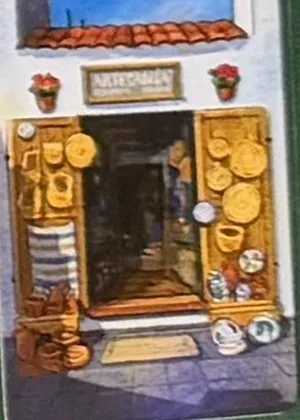 | Shop Card · open. You may choose any of the four normal turn options. Player turns. |
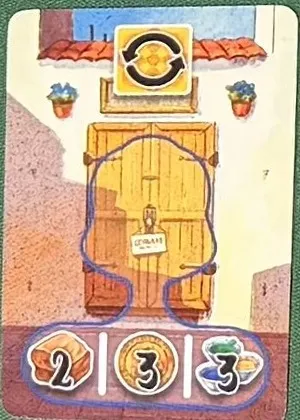 | Shop Card · closed. Each bumped worker gives a choice of 2 Clay, 3 Perra Gorda tokens or 3 Glazes. Closing the Shop. Source: BGG image 9879086. |
| Special Shop Card — Competition | Solo opponent’s shop-state reference. Solo Mode. |
Cards
Card pictures: BGG image 9879086.
Each game-card face has its own costs, movement track, action or reward. A face number below is an inventory identifier, not a printed rulebook number. The descriptions below identify each card family and its shared function; printed costs and rewards vary by face.
| Face | Use |
|---|---|
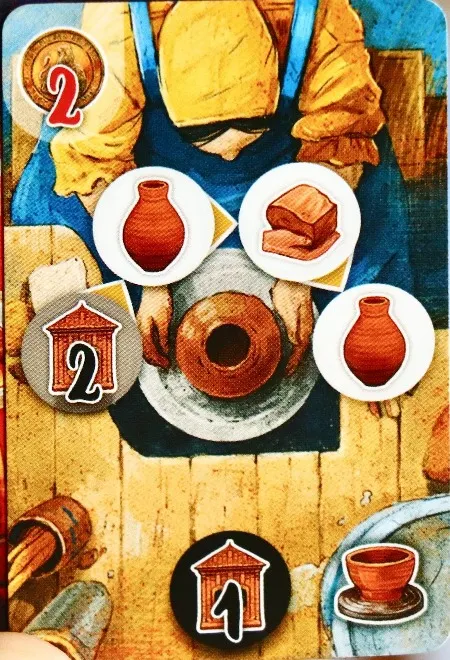 | Potter’s Wheel · Pot / Clay / Pot / 2 VP. Cost: 2 Perra Gorda tokens. When played: gain 1 VP and put a Wooden Vase on the first space. Throw: the four spaces let you shape a Pot, gain 1 Clay, shape a Pot, then gain 2 VP. Throw. Source: BGG image 9768940. |
| Potter’s Wheel card face 2 of 16 — To be added | Move a Wooden Vase along this card’s printed wheel spaces. Rule. The distinct printed face is To be added; use the linked rule for its function. |
| Potter’s Wheel card face 3 of 16 — To be added | Move a Wooden Vase along this card’s printed wheel spaces. Rule. The distinct printed face is To be added; use the linked rule for its function. |
| Potter’s Wheel card face 4 of 16 — To be added | Move a Wooden Vase along this card’s printed wheel spaces. Rule. The distinct printed face is To be added; use the linked rule for its function. |
| Potter’s Wheel card face 5 of 16 — To be added | Move a Wooden Vase along this card’s printed wheel spaces. Rule. The distinct printed face is To be added; use the linked rule for its function. |
| Potter’s Wheel card face 6 of 16 — To be added | Move a Wooden Vase along this card’s printed wheel spaces. Rule. The distinct printed face is To be added; use the linked rule for its function. |
| Potter’s Wheel card face 7 of 16 — To be added | Move a Wooden Vase along this card’s printed wheel spaces. Rule. The distinct printed face is To be added; use the linked rule for its function. |
| Potter’s Wheel card face 8 of 16 — To be added | Move a Wooden Vase along this card’s printed wheel spaces. Rule. The distinct printed face is To be added; use the linked rule for its function. |
| Potter’s Wheel card face 9 of 16 — To be added | Move a Wooden Vase along this card’s printed wheel spaces. Rule. The distinct printed face is To be added; use the linked rule for its function. |
| Potter’s Wheel card face 10 of 16 — To be added | Move a Wooden Vase along this card’s printed wheel spaces. Rule. The distinct printed face is To be added; use the linked rule for its function. |
| Potter’s Wheel card face 11 of 16 — To be added | Move a Wooden Vase along this card’s printed wheel spaces. Rule. The distinct printed face is To be added; use the linked rule for its function. |
| Potter’s Wheel card face 12 of 16 — To be added | Move a Wooden Vase along this card’s printed wheel spaces. Rule. The distinct printed face is To be added; use the linked rule for its function. |
| Potter’s Wheel card face 13 of 16 — To be added | Move a Wooden Vase along this card’s printed wheel spaces. Rule. The distinct printed face is To be added; use the linked rule for its function. |
| Potter’s Wheel card face 14 of 16 — To be added | Move a Wooden Vase along this card’s printed wheel spaces. Rule. The distinct printed face is To be added; use the linked rule for its function. |
| Potter’s Wheel card face 15 of 16 — To be added | Move a Wooden Vase along this card’s printed wheel spaces. Rule. The distinct printed face is To be added; use the linked rule for its function. |
| Potter’s Wheel card face 16 of 16 — To be added | Move a Wooden Vase along this card’s printed wheel spaces. Rule. The distinct printed face is To be added; use the linked rule for its function. |
| Esparto card face 1 of 16 — To be added | Choose one of this card’s two printed rewards when collecting Esparto. Rule. The distinct printed face is To be added; use the linked rule for its function. |
| Esparto card face 2 of 16 — To be added | Choose one of this card’s two printed rewards when collecting Esparto. Rule. The distinct printed face is To be added; use the linked rule for its function. |
| Esparto card face 3 of 16 — To be added | Choose one of this card’s two printed rewards when collecting Esparto. Rule. The distinct printed face is To be added; use the linked rule for its function. |
| Esparto card face 4 of 16 — To be added | Choose one of this card’s two printed rewards when collecting Esparto. Rule. The distinct printed face is To be added; use the linked rule for its function. |
| Esparto card face 5 of 16 — To be added | Choose one of this card’s two printed rewards when collecting Esparto. Rule. The distinct printed face is To be added; use the linked rule for its function. |
| Esparto card face 6 of 16 — To be added | Choose one of this card’s two printed rewards when collecting Esparto. Rule. The distinct printed face is To be added; use the linked rule for its function. |
| Esparto card face 7 of 16 — To be added | Choose one of this card’s two printed rewards when collecting Esparto. Rule. The distinct printed face is To be added; use the linked rule for its function. |
| Esparto card face 8 of 16 — To be added | Choose one of this card’s two printed rewards when collecting Esparto. Rule. The distinct printed face is To be added; use the linked rule for its function. |
| Esparto card face 9 of 16 — To be added | Choose one of this card’s two printed rewards when collecting Esparto. Rule. The distinct printed face is To be added; use the linked rule for its function. |
| Esparto card face 10 of 16 — To be added | Choose one of this card’s two printed rewards when collecting Esparto. Rule. The distinct printed face is To be added; use the linked rule for its function. |
| Esparto card face 11 of 16 — To be added | Choose one of this card’s two printed rewards when collecting Esparto. Rule. The distinct printed face is To be added; use the linked rule for its function. |
| Esparto card face 12 of 16 — To be added | Choose one of this card’s two printed rewards when collecting Esparto. Rule. The distinct printed face is To be added; use the linked rule for its function. |
| Esparto card face 13 of 16 — To be added | Choose one of this card’s two printed rewards when collecting Esparto. Rule. The distinct printed face is To be added; use the linked rule for its function. |
| Esparto card face 14 of 16 — To be added | Choose one of this card’s two printed rewards when collecting Esparto. Rule. The distinct printed face is To be added; use the linked rule for its function. |
| Esparto card face 15 of 16 — To be added | Choose one of this card’s two printed rewards when collecting Esparto. Rule. The distinct printed face is To be added; use the linked rule for its function. |
| Esparto card face 16 of 16 — To be added | Choose one of this card’s two printed rewards when collecting Esparto. Rule. The distinct printed face is To be added; use the linked rule for its function. |
| Cleanup card face 1 of 12 — To be added | Move Cracks onto the printed spaces; a completed card grants its reward. Rule. The distinct printed face is To be added; use the linked rule for its function. |
| Cleanup card face 2 of 12 — To be added | Move Cracks onto the printed spaces; a completed card grants its reward. Rule. The distinct printed face is To be added; use the linked rule for its function. |
| Cleanup card face 3 of 12 — To be added | Move Cracks onto the printed spaces; a completed card grants its reward. Rule. The distinct printed face is To be added; use the linked rule for its function. |
| Cleanup card face 4 of 12 — To be added | Move Cracks onto the printed spaces; a completed card grants its reward. Rule. The distinct printed face is To be added; use the linked rule for its function. |
| Cleanup card face 5 of 12 — To be added | Move Cracks onto the printed spaces; a completed card grants its reward. Rule. The distinct printed face is To be added; use the linked rule for its function. |
| Cleanup card face 6 of 12 — To be added | Move Cracks onto the printed spaces; a completed card grants its reward. Rule. The distinct printed face is To be added; use the linked rule for its function. |
| Cleanup card face 7 of 12 — To be added | Move Cracks onto the printed spaces; a completed card grants its reward. Rule. The distinct printed face is To be added; use the linked rule for its function. |
| Cleanup card face 8 of 12 — To be added | Move Cracks onto the printed spaces; a completed card grants its reward. Rule. The distinct printed face is To be added; use the linked rule for its function. |
| Cleanup card face 9 of 12 — To be added | Move Cracks onto the printed spaces; a completed card grants its reward. Rule. The distinct printed face is To be added; use the linked rule for its function. |
| Cleanup card face 10 of 12 — To be added | Move Cracks onto the printed spaces; a completed card grants its reward. Rule. The distinct printed face is To be added; use the linked rule for its function. |
| Cleanup card face 11 of 12 — To be added | Move Cracks onto the printed spaces; a completed card grants its reward. Rule. The distinct printed face is To be added; use the linked rule for its function. |
| Cleanup card face 12 of 12 — To be added | Move Cracks onto the printed spaces; a completed card grants its reward. Rule. The distinct printed face is To be added; use the linked rule for its function. |
| Glazing Workshop card face 1 of 12 — To be added | Paint a pottery piece here using the card’s printed cost. Rule. The distinct printed face is To be added; use the linked rule for its function. |
| Glazing Workshop card face 2 of 12 — To be added | Paint a pottery piece here using the card’s printed cost. Rule. The distinct printed face is To be added; use the linked rule for its function. |
| Glazing Workshop card face 3 of 12 — To be added | Paint a pottery piece here using the card’s printed cost. Rule. The distinct printed face is To be added; use the linked rule for its function. |
| Glazing Workshop card face 4 of 12 — To be added | Paint a pottery piece here using the card’s printed cost. Rule. The distinct printed face is To be added; use the linked rule for its function. |
| Glazing Workshop card face 5 of 12 — To be added | Paint a pottery piece here using the card’s printed cost. Rule. The distinct printed face is To be added; use the linked rule for its function. |
| Glazing Workshop card face 6 of 12 — To be added | Paint a pottery piece here using the card’s printed cost. Rule. The distinct printed face is To be added; use the linked rule for its function. |
| Glazing Workshop card face 7 of 12 — To be added | Paint a pottery piece here using the card’s printed cost. Rule. The distinct printed face is To be added; use the linked rule for its function. |
| Glazing Workshop card face 8 of 12 — To be added | Paint a pottery piece here using the card’s printed cost. Rule. The distinct printed face is To be added; use the linked rule for its function. |
| Glazing Workshop card face 9 of 12 — To be added | Paint a pottery piece here using the card’s printed cost. Rule. The distinct printed face is To be added; use the linked rule for its function. |
| Glazing Workshop card face 10 of 12 — To be added | Paint a pottery piece here using the card’s printed cost. Rule. The distinct printed face is To be added; use the linked rule for its function. |
| Glazing Workshop card face 11 of 12 — To be added | Paint a pottery piece here using the card’s printed cost. Rule. The distinct printed face is To be added; use the linked rule for its function. |
| Glazing Workshop card face 12 of 12 — To be added | Paint a pottery piece here using the card’s printed cost. Rule. The distinct printed face is To be added; use the linked rule for its function. |
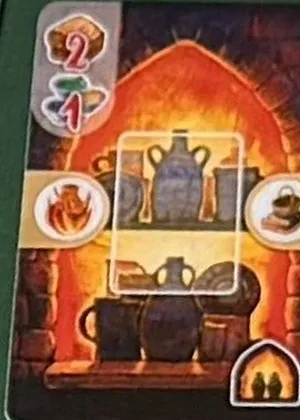 | Glaze Kiln · Fire and Extract Clay. Cost: 2 Clay and 1 Glaze. When played: Fire and Extract Clay; resolve the two actions separately. Holds one painted piece after firing. |
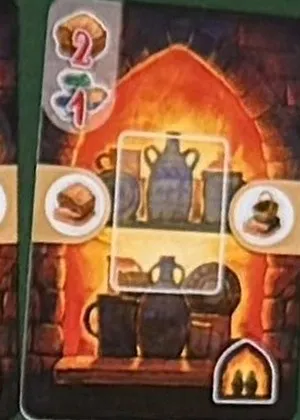 | Glaze Kiln · Extract Clay and Collect Esparto. Cost: 2 Clay and 1 Glaze. When played: Extract Clay and Collect Esparto; resolve the two actions separately. Holds one painted piece after firing. |
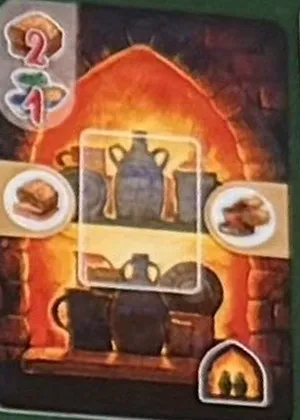 | Glaze Kiln · Extract Clay and Throw. Cost: 2 Clay and 1 Glaze. When played: Extract Clay and Throw; resolve the two actions separately. Holds one painted piece after firing. |
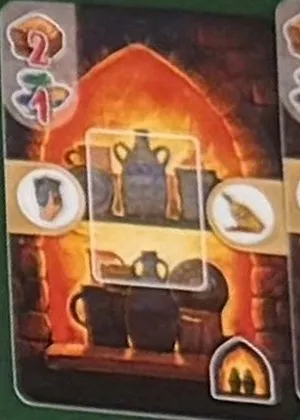 | Glaze Kiln · Paint and Clean. Cost: 2 Clay and 1 Glaze. When played: Paint and Clean; resolve the two actions separately. Holds one painted piece after firing. |
| Glaze Kiln card face 5 of 12 — To be added | Fire a painted piece here before selling. Rule. The distinct printed face is To be added; use the linked rule for its function. |
| Glaze Kiln card face 6 of 12 — To be added | Fire a painted piece here before selling. Rule. The distinct printed face is To be added; use the linked rule for its function. |
| Glaze Kiln card face 7 of 12 — To be added | Fire a painted piece here before selling. Rule. The distinct printed face is To be added; use the linked rule for its function. |
| Glaze Kiln card face 8 of 12 — To be added | Fire a painted piece here before selling. Rule. The distinct printed face is To be added; use the linked rule for its function. |
| Glaze Kiln card face 9 of 12 — To be added | Fire a painted piece here before selling. Rule. The distinct printed face is To be added; use the linked rule for its function. |
| Glaze Kiln card face 10 of 12 — To be added | Fire a painted piece here before selling. Rule. The distinct printed face is To be added; use the linked rule for its function. |
| Glaze Kiln card face 11 of 12 — To be added | Fire a painted piece here before selling. Rule. The distinct printed face is To be added; use the linked rule for its function. |
| Glaze Kiln card face 12 of 12 — To be added | Fire a painted piece here before selling. Rule. The distinct printed face is To be added; use the linked rule for its function. |
| Firing Kiln card face 1 of 12 — To be added | Fire an unpainted piece here to make it ready for sale. Rule. The distinct printed face is To be added; use the linked rule for its function. |
| Firing Kiln card face 2 of 12 — To be added | Fire an unpainted piece here to make it ready for sale. Rule. The distinct printed face is To be added; use the linked rule for its function. |
| Firing Kiln card face 3 of 12 — To be added | Fire an unpainted piece here to make it ready for sale. Rule. The distinct printed face is To be added; use the linked rule for its function. |
| Firing Kiln card face 4 of 12 — To be added | Fire an unpainted piece here to make it ready for sale. Rule. The distinct printed face is To be added; use the linked rule for its function. |
| Firing Kiln card face 5 of 12 — To be added | Fire an unpainted piece here to make it ready for sale. Rule. The distinct printed face is To be added; use the linked rule for its function. |
| Firing Kiln card face 6 of 12 — To be added | Fire an unpainted piece here to make it ready for sale. Rule. The distinct printed face is To be added; use the linked rule for its function. |
| Firing Kiln card face 7 of 12 — To be added | Fire an unpainted piece here to make it ready for sale. Rule. The distinct printed face is To be added; use the linked rule for its function. |
| Firing Kiln card face 8 of 12 — To be added | Fire an unpainted piece here to make it ready for sale. Rule. The distinct printed face is To be added; use the linked rule for its function. |
| Firing Kiln card face 9 of 12 — To be added | Fire an unpainted piece here to make it ready for sale. Rule. The distinct printed face is To be added; use the linked rule for its function. |
| Firing Kiln card face 10 of 12 — To be added | Fire an unpainted piece here to make it ready for sale. Rule. The distinct printed face is To be added; use the linked rule for its function. |
| Firing Kiln card face 11 of 12 — To be added | Fire an unpainted piece here to make it ready for sale. Rule. The distinct printed face is To be added; use the linked rule for its function. |
| Firing Kiln card face 12 of 12 — To be added | Fire an unpainted piece here to make it ready for sale. Rule. The distinct printed face is To be added; use the linked rule for its function. |
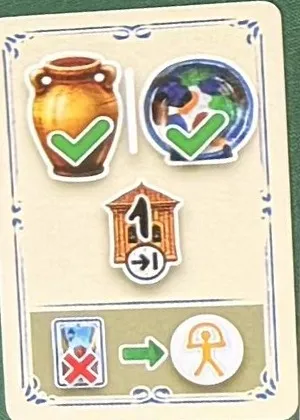 | Scoring · sold Pots and Plates. Game end: 1 VP per sold Pot or Plate, painted or unpainted. Alternatively, discard from hand for a wild action. Scoring. |
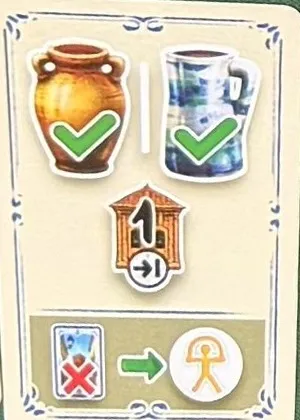 | Scoring · sold Pots and Jugs. Game end: 1 VP per sold Pot or Jug, painted or unpainted. Alternatively, discard from hand for a wild action. Scoring. |
| Endgame Scoring card face 3 of 12 — To be added | Scores the printed criterion only if played facedown at round end. Rule. The distinct printed face is To be added; use the linked rule for its function. |
| Endgame Scoring card face 4 of 12 — To be added | Scores the printed criterion only if played facedown at round end. Rule. The distinct printed face is To be added; use the linked rule for its function. |
| Endgame Scoring card face 5 of 12 — To be added | Scores the printed criterion only if played facedown at round end. Rule. The distinct printed face is To be added; use the linked rule for its function. |
| Endgame Scoring card face 6 of 12 — To be added | Scores the printed criterion only if played facedown at round end. Rule. The distinct printed face is To be added; use the linked rule for its function. |
| Endgame Scoring card face 7 of 12 — To be added | Scores the printed criterion only if played facedown at round end. Rule. The distinct printed face is To be added; use the linked rule for its function. |
| Endgame Scoring card face 8 of 12 — To be added | Scores the printed criterion only if played facedown at round end. Rule. The distinct printed face is To be added; use the linked rule for its function. |
| Endgame Scoring card face 9 of 12 — To be added | Scores the printed criterion only if played facedown at round end. Rule. The distinct printed face is To be added; use the linked rule for its function. |
| Endgame Scoring card face 10 of 12 — To be added | Scores the printed criterion only if played facedown at round end. Rule. The distinct printed face is To be added; use the linked rule for its function. |
| Endgame Scoring card face 11 of 12 — To be added | Scores the printed criterion only if played facedown at round end. Rule. The distinct printed face is To be added; use the linked rule for its function. |
| Endgame Scoring card face 12 of 12 — To be added | Scores the printed criterion only if played facedown at round end. Rule. The distinct printed face is To be added; use the linked rule for its function. |
| Competition card face 1 of 9 — To be added | Directs the solo opponent’s worker, Donkey and pottery actions. Rule. The distinct printed face is To be added; use the linked rule for its function. |
| Competition card face 2 of 9 — To be added | Directs the solo opponent’s worker, Donkey and pottery actions. Rule. The distinct printed face is To be added; use the linked rule for its function. |
| Competition card face 3 of 9 — To be added | Directs the solo opponent’s worker, Donkey and pottery actions. Rule. The distinct printed face is To be added; use the linked rule for its function. |
| Competition card face 4 of 9 — To be added | Directs the solo opponent’s worker, Donkey and pottery actions. Rule. The distinct printed face is To be added; use the linked rule for its function. |
| Competition card face 5 of 9 — To be added | Directs the solo opponent’s worker, Donkey and pottery actions. Rule. The distinct printed face is To be added; use the linked rule for its function. |
| Competition card face 6 of 9 — To be added | Directs the solo opponent’s worker, Donkey and pottery actions. Rule. The distinct printed face is To be added; use the linked rule for its function. |
| Competition card face 7 of 9 — To be added | Directs the solo opponent’s worker, Donkey and pottery actions. Rule. The distinct printed face is To be added; use the linked rule for its function. |
| Competition card face 8 of 9 — To be added | Directs the solo opponent’s worker, Donkey and pottery actions. Rule. The distinct printed face is To be added; use the linked rule for its function. |
| Competition card face 9 of 9 — To be added | Directs the solo opponent’s worker, Donkey and pottery actions. Rule. The distinct printed face is To be added; use the linked rule for its function. |
| Starting Potter’s Wheel card face 1 of 5 — To be added | Provides the first pottery wheel and its initial Vase position. Rule. The distinct printed face is To be added; use the linked rule for its function. |
| Starting Potter’s Wheel card face 2 of 5 — To be added | Provides the first pottery wheel and its initial Vase position. Rule. The distinct printed face is To be added; use the linked rule for its function. |
| Starting Potter’s Wheel card face 3 of 5 — To be added | Provides the first pottery wheel and its initial Vase position. Rule. The distinct printed face is To be added; use the linked rule for its function. |
| Starting Potter’s Wheel card face 4 of 5 — To be added | Provides the first pottery wheel and its initial Vase position. Rule. The distinct printed face is To be added; use the linked rule for its function. |
| Starting Potter’s Wheel card face 5 of 5 — To be added | Provides the first pottery wheel and its initial Vase position. Rule. The distinct printed face is To be added; use the linked rule for its function. |
| Starting Resource card face 1 of 5 — To be added | Provides the chosen workshop’s initial resource combination. Rule. The distinct printed face is To be added; use the linked rule for its function. |
| Starting Resource card face 2 of 5 — To be added | Provides the chosen workshop’s initial resource combination. Rule. The distinct printed face is To be added; use the linked rule for its function. |
| Starting Resource card face 3 of 5 — To be added | Provides the chosen workshop’s initial resource combination. Rule. The distinct printed face is To be added; use the linked rule for its function. |
| Starting Resource card face 4 of 5 — To be added | Provides the chosen workshop’s initial resource combination. Rule. The distinct printed face is To be added; use the linked rule for its function. |
| Starting Resource card face 5 of 5 — To be added | Provides the chosen workshop’s initial resource combination. Rule. The distinct printed face is To be added; use the linked rule for its function. |
| Starting Cleanup card face 1 of 1 — To be added | The player’s starting cleanup space and reward. Rule. The distinct printed face is To be added; use the linked rule for its function. |
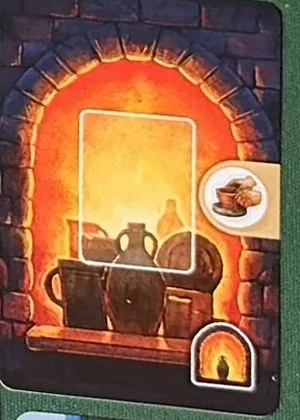 | Starting Firing Kiln. Holds one unpainted piece after firing. Its side action is Extract Clay. Fire. |
| Starting Glaze Kiln card face 1 of 1 — To be added | The player’s starting space for firing painted pottery. Rule. The distinct printed face is To be added; use the linked rule for its function. |
| Starting Glazing Workshop card face 1 of 1 — To be added | The player’s starting space for painting pottery. Rule. The distinct printed face is To be added; use the linked rule for its function. |
| Special Shop Card face 1 of 1 — To be added | The solo Competition’s open/closed state reference. Rule. The distinct printed face is To be added; use the linked rule for its function. |
Tiles
Action Tile pictures: BGG image 9768995. Bonus Tile pictures: BGG image 9768934.
| Face inventory | Use |
|---|---|
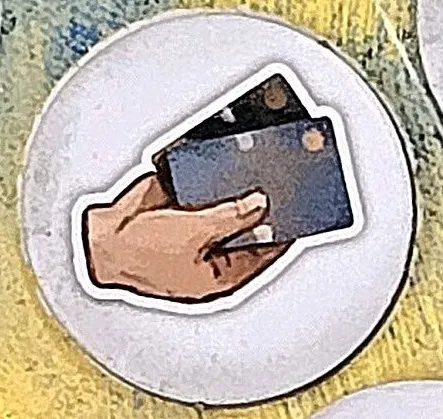 | Play cards. Play cards in their matching workshop spaces. Rule. |
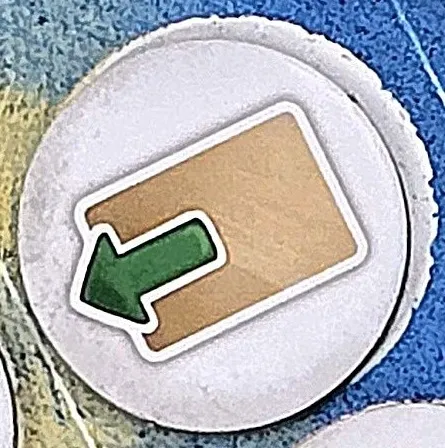 | Advance Technology. Advance the Technology marker one space. Rule. |
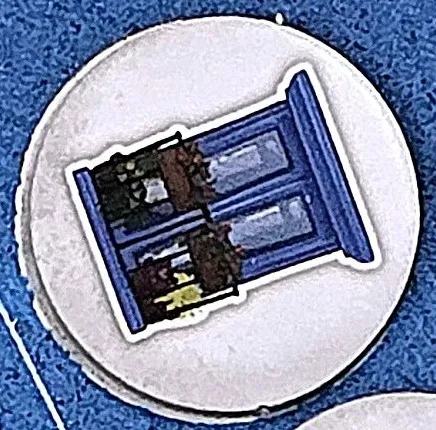 | First Player. Choose an available turn-order position, then perform a Main Board action. Rule. |
 | Collect Esparto. Choose one reward from each Esparto Card, including the printed one. Rule. |
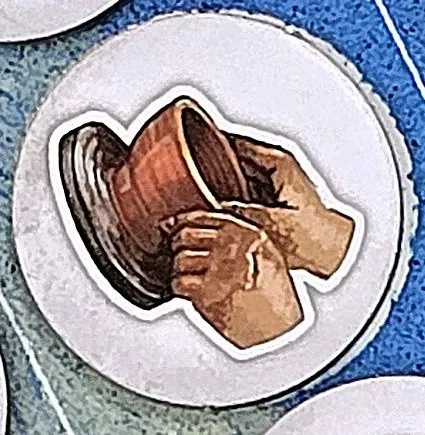 | Throw. Move Wooden Vases up to your Technology allowance in total. Rule. |
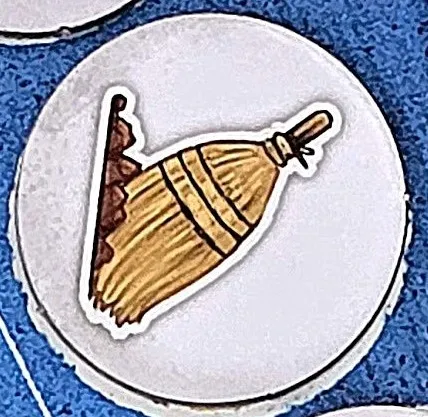 | Clean. Clean one Crack plus one per Cleanup Card. Rule. |
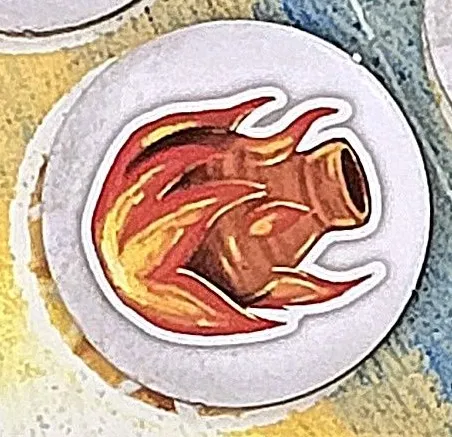 | Fire. Move pottery into available kilns. Rule. |
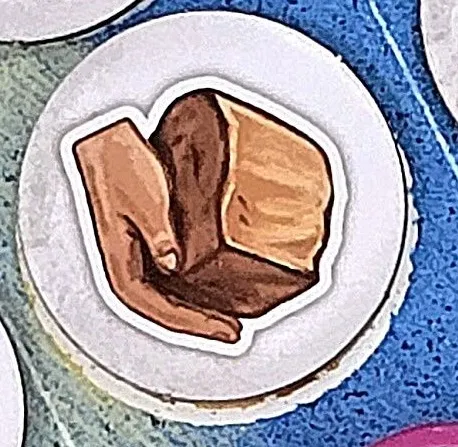 | Extract Clay. Take up to three Clay, paying the cost for the amount chosen. Rule. |
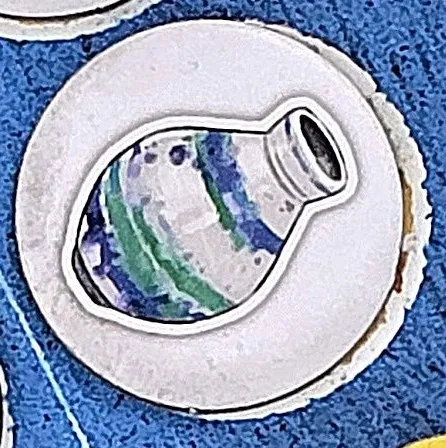 | Paint. Move pottery to empty Glazing Workshops and pay their costs. Rule. |
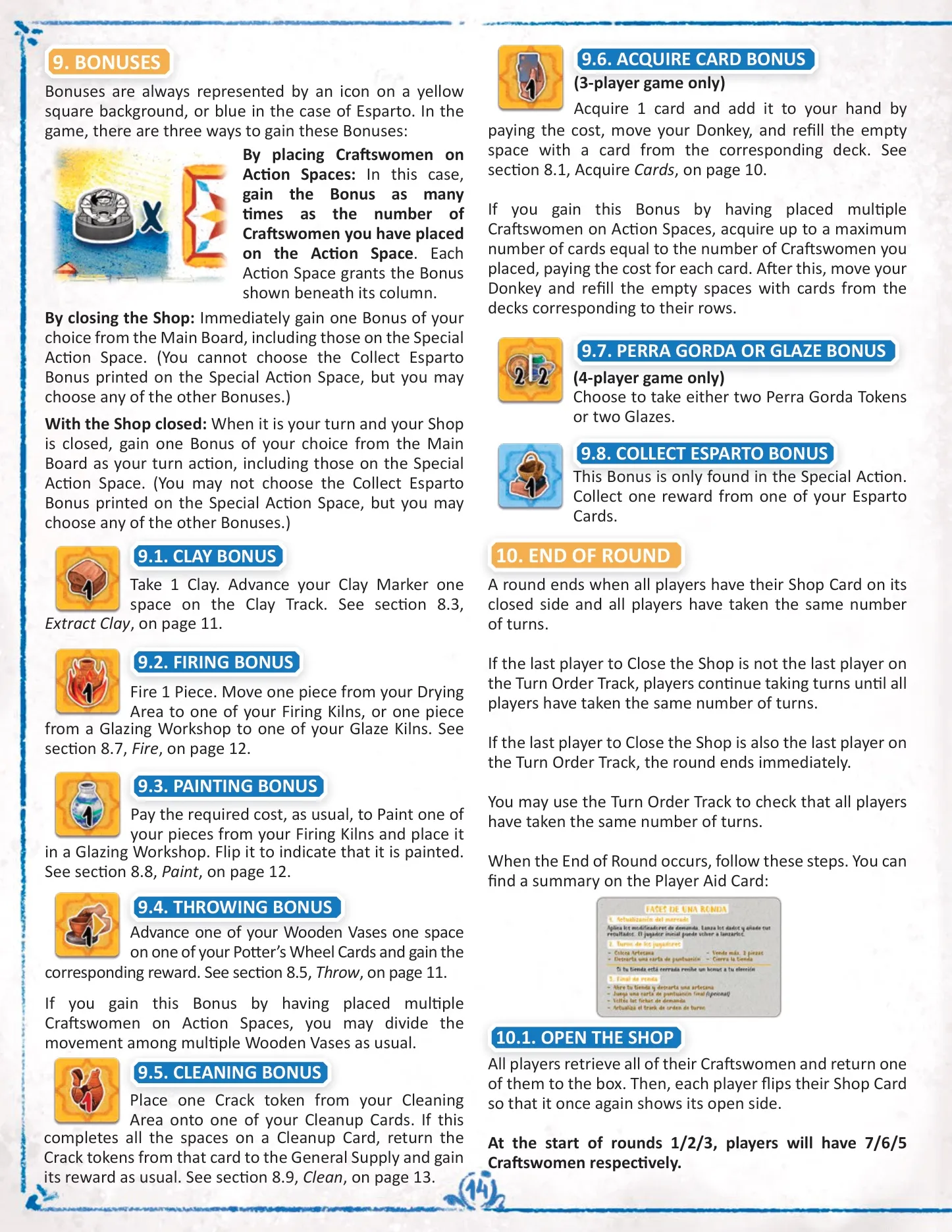
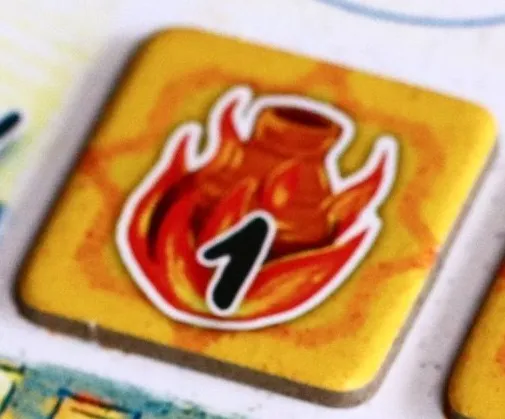 | Fire bonus. Fire one piece. Bonuses. |
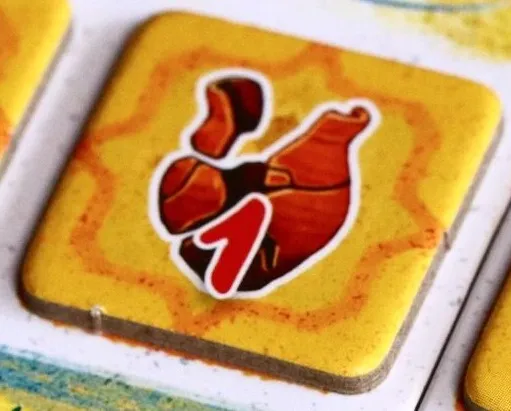 | Clean bonus. Clean one Crack. Bonuses. |
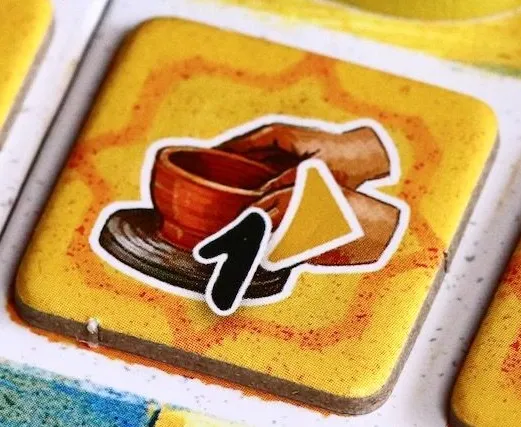 | Throw bonus. Move one Wooden Vase one space. Bonuses. |
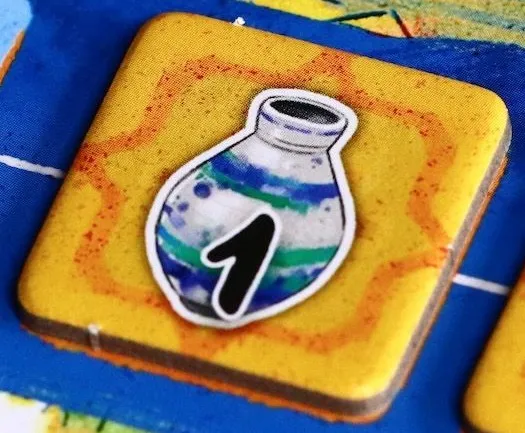 | Paint bonus. Paint one piece, paying its workshop cost. Bonuses. |
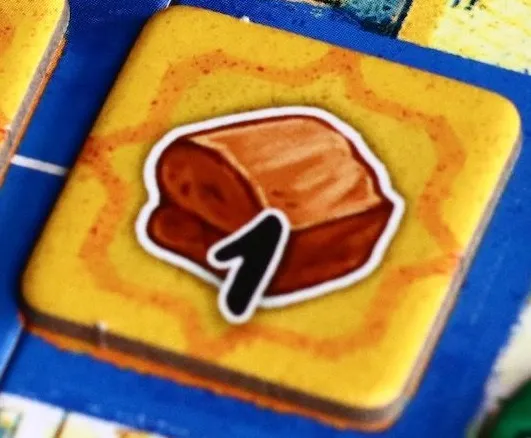 | Clay bonus. Gain one Clay. Bonuses. |
| Acquire a card / Perra Gorda and Glazes Bonus Tiles — To be added | Bonuses. |
| Demand Tiles 1–9 — To be added | Three tiles per round show the price drop on sales and market-update modifier. Update the market. |
| Market Markers 1–3 — To be added | Track the current prices for Plates, Jugs and Pots. Selling and scoring. |
Tokens & pieces
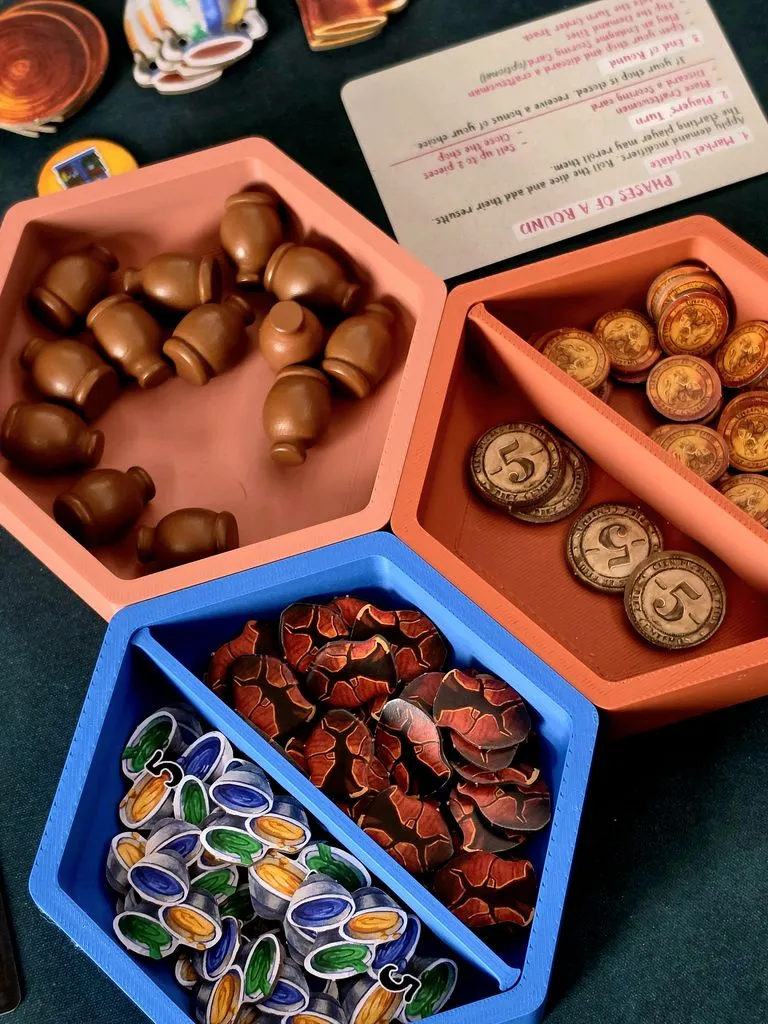
Token pictures: BGG image 9769000, 9879088, and 9879089.
| Face | Use |
|---|---|
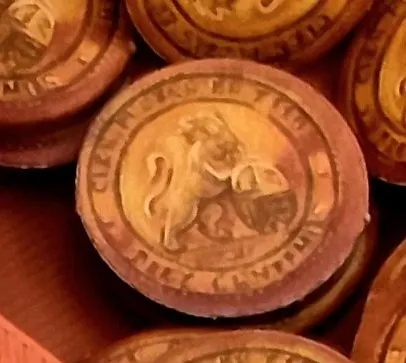 | Perra Gorda · 1. Currency for acquiring and playing cards. Acquire cards. |
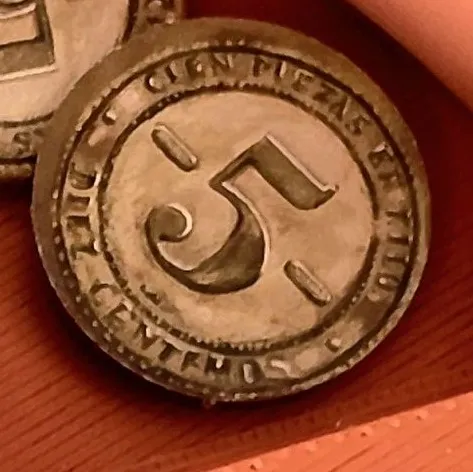 | Perra Gorda · 5. Counts as five Perra Gorda tokens. Remaining resources. |
| Glaze token, value 1 — To be added | Pays the printed paint costs and some card costs. Paint. Source photo: BGG image 9769000. |
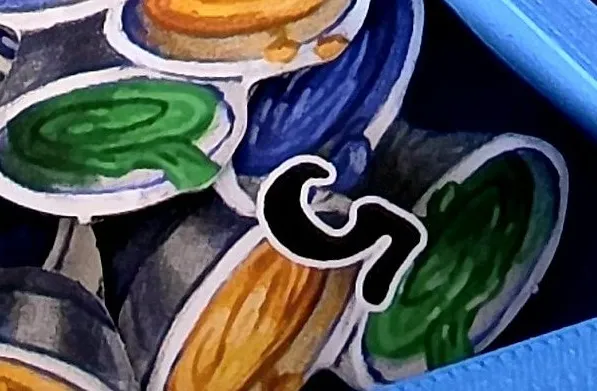 | Glazes · 5. Counts as five Glazes. Paint. |
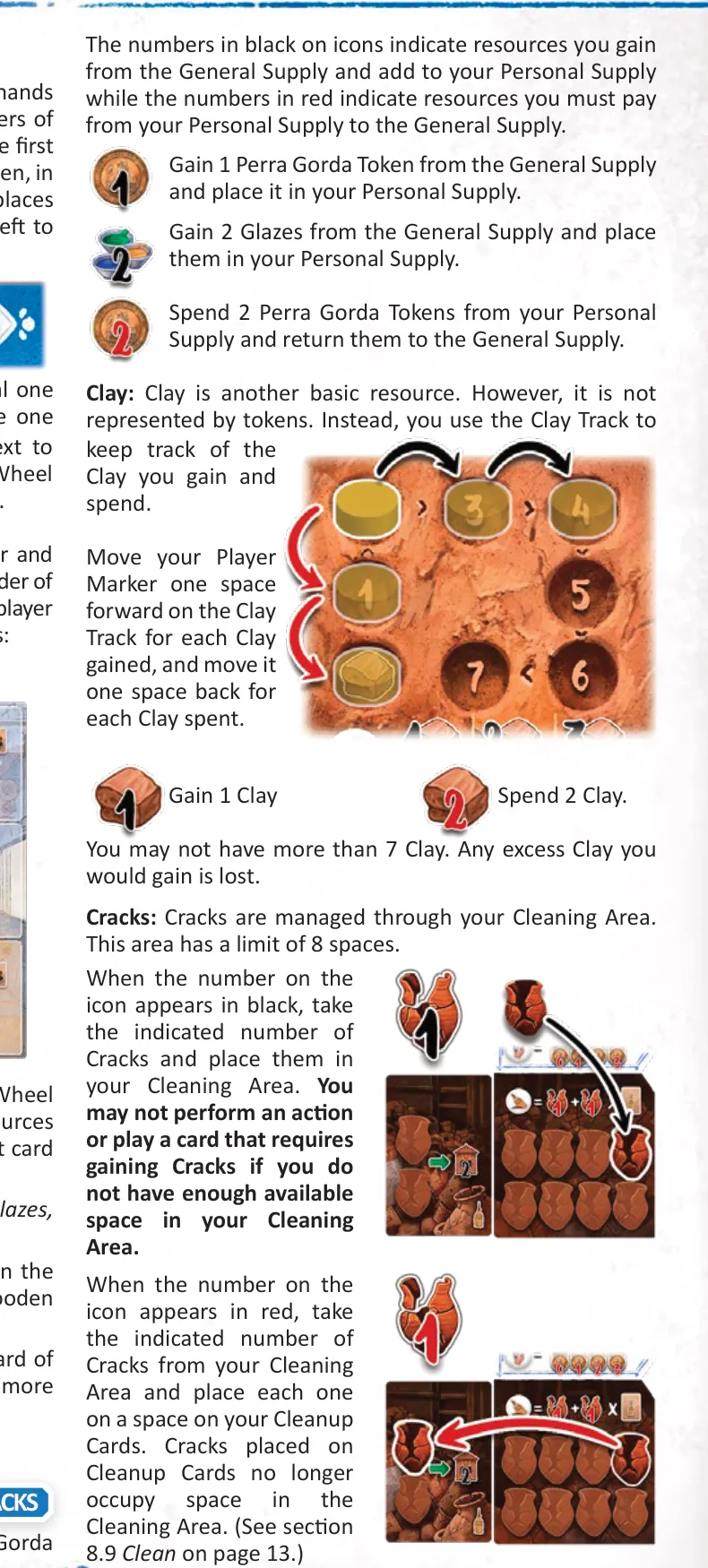
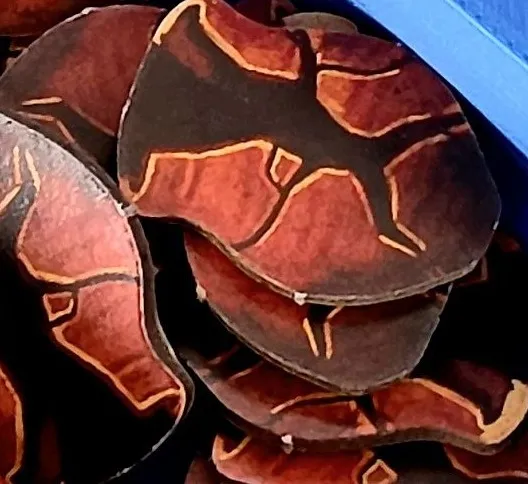 | Crack. Costs may add Cracks to the Cleaning Area; each left there loses 1 VP at game end. Clean. |
| Market Dice faces 1–6 — To be added | Determine how far each market marker rises during Market Update. Update the market. |
| Plate, unpainted / painted — To be added | Piece type that moves through drying, firing and optional painting. Production. |
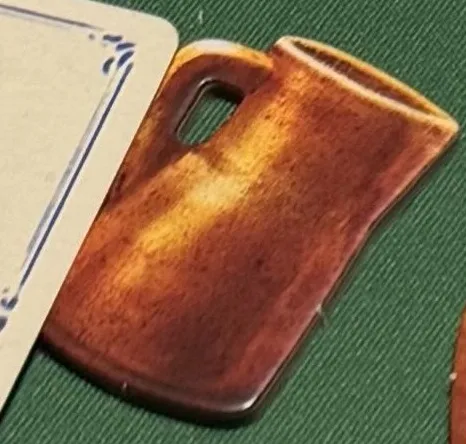 | Jug · unpainted. Moves from Drying Area to Firing Kiln before sale or painting. Painted side: To be added. Production. |
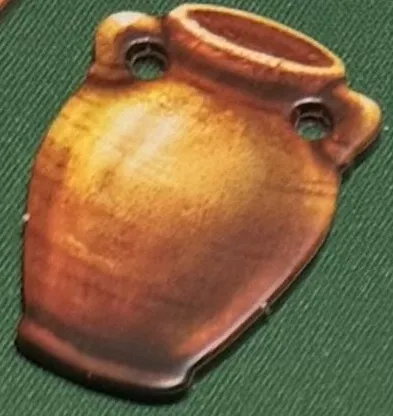 | Pot · unpainted. Moves from Drying Area to Firing Kiln before sale or painting. Painted side: To be added. Production. |
 | Wooden Vase. Moves along a Potter’s Wheel. Throw. |
 | First Player Token · window side. The holder rolls Market Dice and gains 2 VP at game end. First Player. |
 | Player marker. Marks score, Clay, Technology or turn order. Setup. |
| Craftswomen, 7 per color — To be added | Workers placed on Action Spaces; returned workers are available again during the round. Player turns. |
| Donkey, one per color — To be added | Marks the free card and acquisition costs in the Draft Area. Acquire cards. |
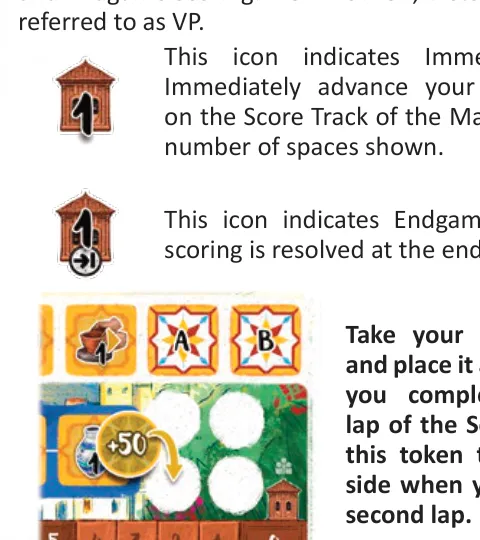
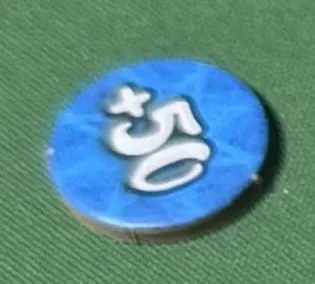 | VP token · +50 side. Marks a completed score-track lap. Reverse (+100): To be added. Immediate points. |
Icons
These are the rulebook’s printed symbols. The number’s color matters: black numbers show resources gained, red numbers show resources paid. Action icons appear in card spaces and the board grid; bonus icons use colored square backgrounds.

| Icon group | Meaning and rule link |
|---|---|
| Card types | The six icons above identify the matching workshop slot. Play cards. |
| Resources and costs | Perra Gorda tokens buy cards and pay costs; Glazes pay paint costs; Clay is tracked on the Workshop Extension; Cracks occupy the Cleaning Area. Resources. |
| Immediate VP and endgame VP | The workshop/building symbol means score now; the building with the turn arrow means score at game end. Scoring. Source: rulebook p. 7. |
| Action icons | Extract Clay, Advance Technology, Throw, Shape, Fire, Paint, Clean, Collect Esparto and First Player action. Main Board actions. Source: rulebook p. 11. |
| Bonus icons | Clay, Fire, Paint, Throw, Clean, acquire a card, Perra Gorda / Glazes, and Collect Esparto; the last is blue and only appears on the Special Action Space. Bonuses. Source: rulebook p. 14. |